Working With Answers
The following features are available to help you refine and manage answers.
Alternative Answer Selection
Scroll through the different responses the agent pulled as relevant to the question.
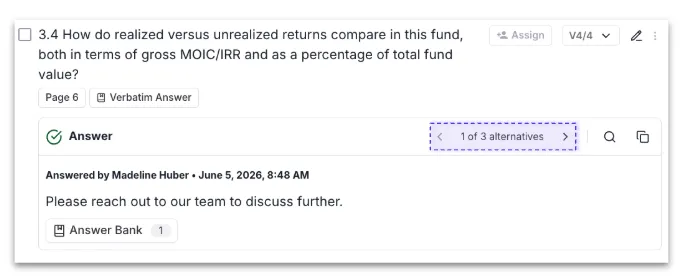
Note: Where a verbatim match exists, this will be shown as the first answer in the alternative answer selection.
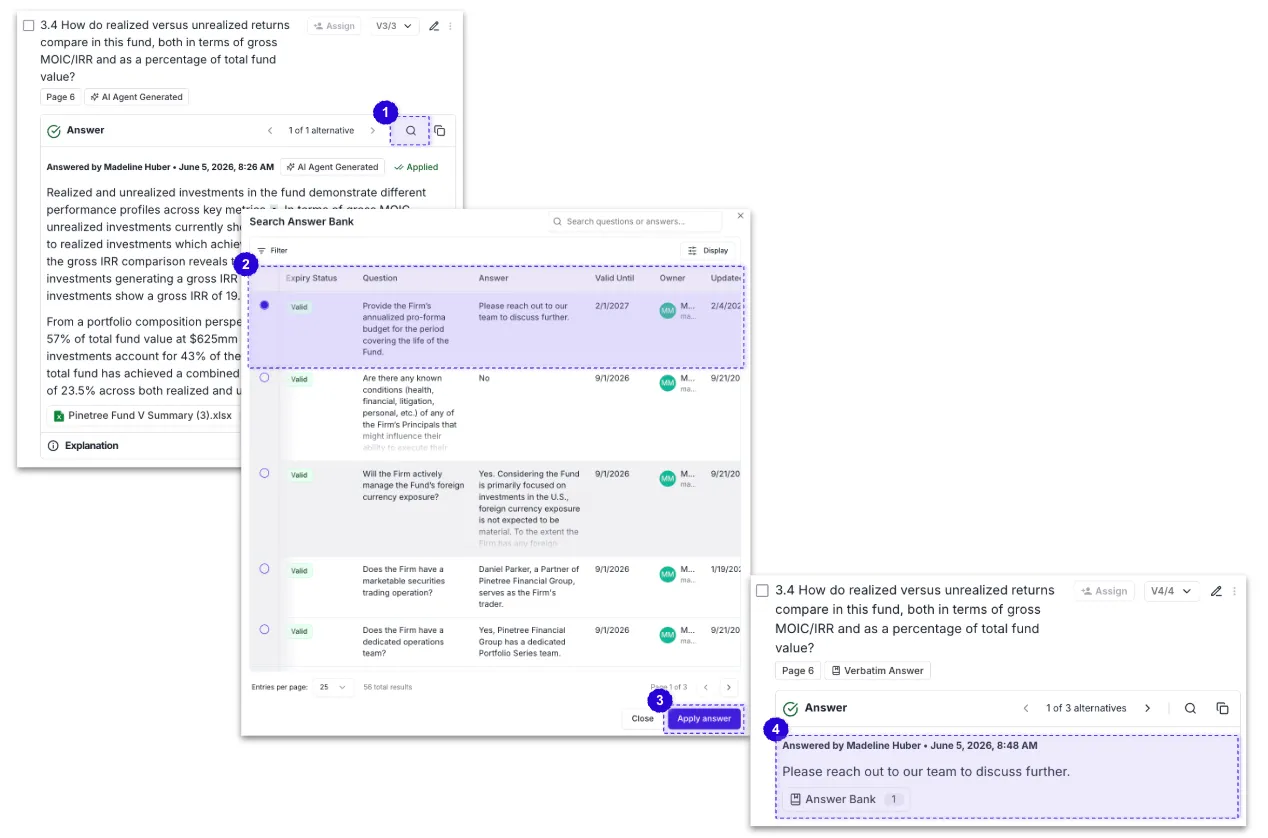
Searching the Answer Bank
Use the magnifying glass icon to search the Answer Bank directly if you know where a specific answer lives.
Editing an Answer
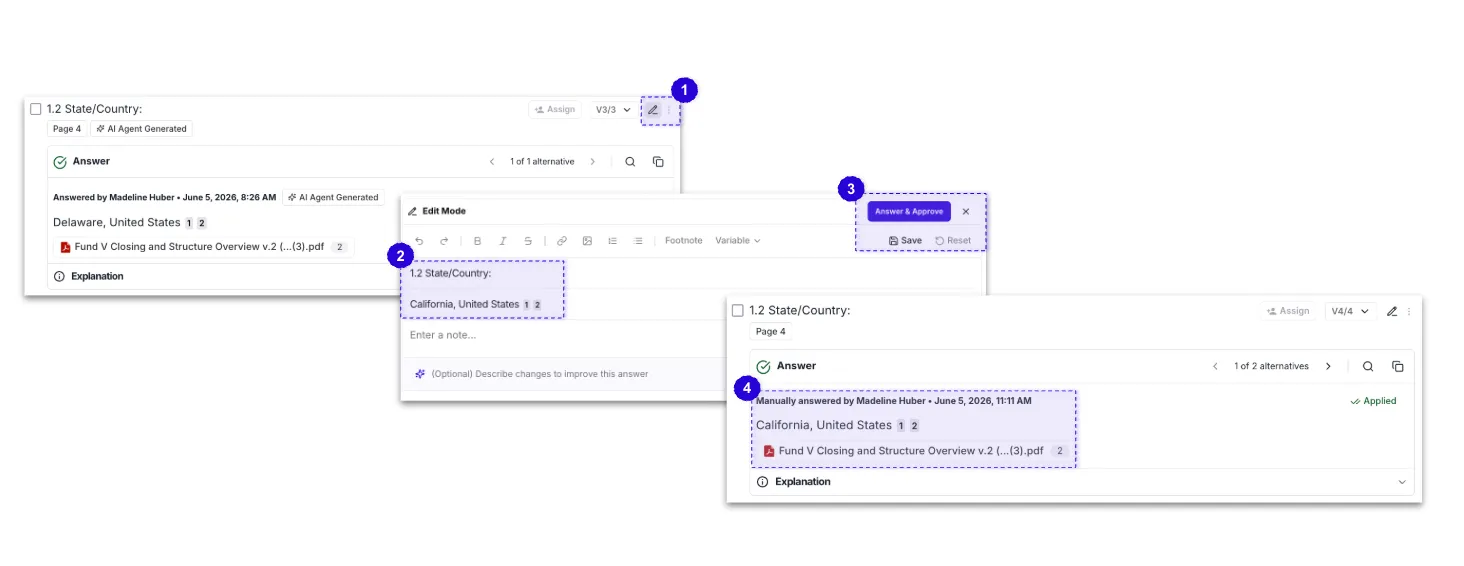
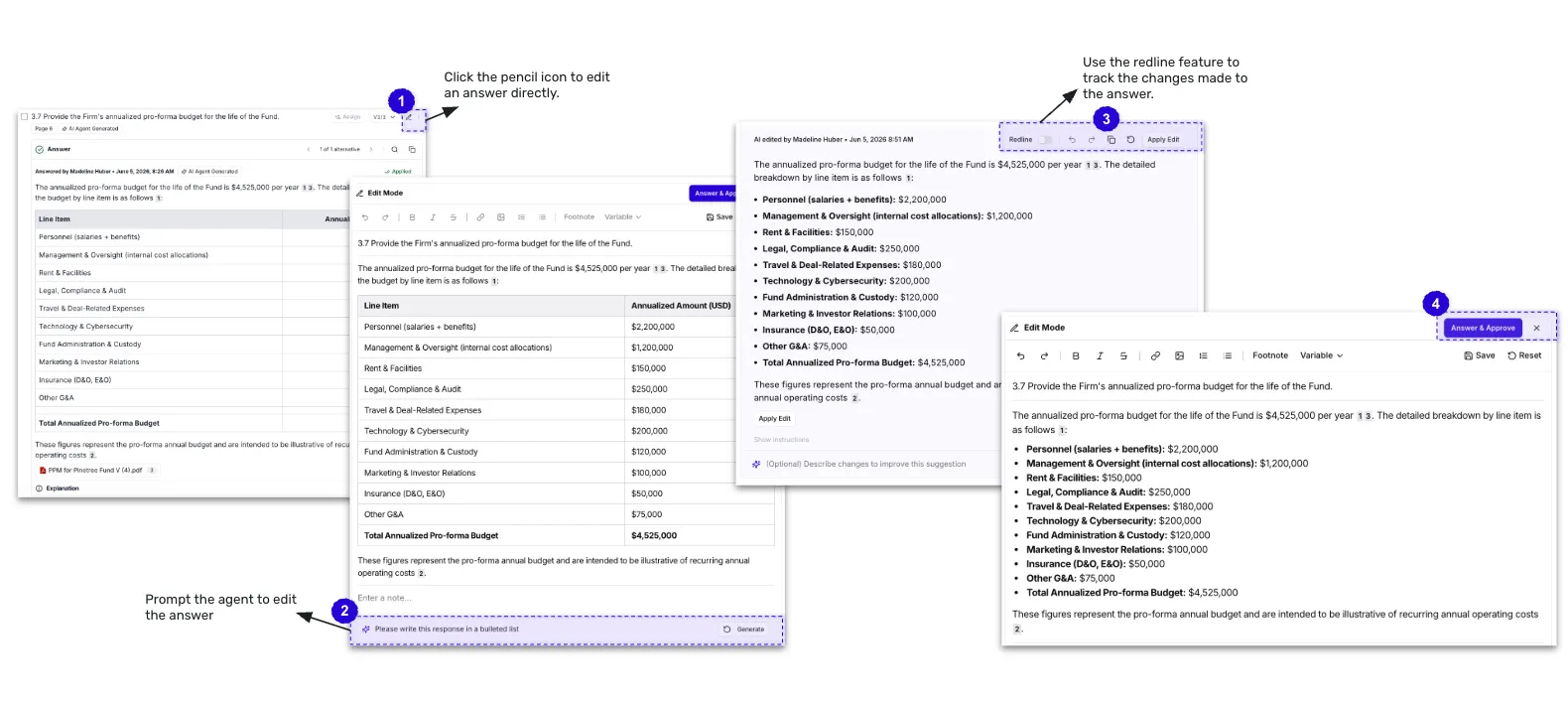
- Click the pencil icon to open the answer for editing
- Make your changes directly in the Review Pane
- Save your changes
- (Optional) Select Add to Answer Bank to standardize the updated answer for future use. Answers pushed to the Answer Bank will inherit the tags from the submission's intake form selections.
AI Answer Assist
Use AI Answer Assist to iterate on a response, change formatting, pull in more detail, or refine the language.
- Specify the desired changes to the response
Tip: Use direct instructions to refine your answer, such as "Shorten this response," "Limit this response to 250 words," or "Convert this response into a bulleted list."
- A suggested rewrite will be edited live
- Compare it against the original using the redline toggle
- Apply the edit with a single click
Every suggestion is saved with attribution, maintaining a full revision chain. A full redline of all changes made to the answer is also available.
Unanswering and Re-Answering
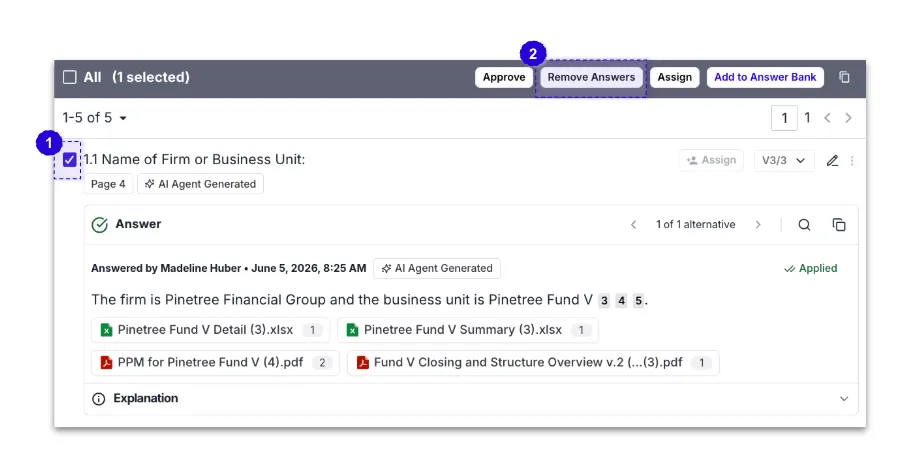
If you want to direct the agent differently on a question, you can unanswer it and re-answer it with new instructions.
Using a Website as a Source
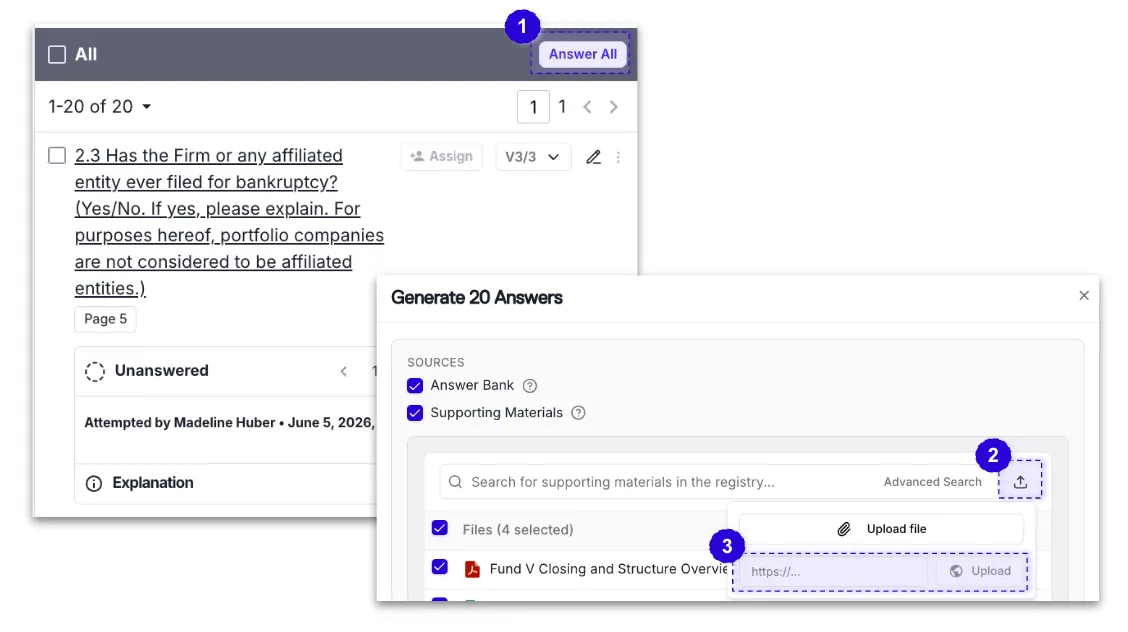
When answering a question, click the upload icon next to the supporting materials search bar to paste a website URL directly as a source.
Note: Norm will only scan the specific page you link to, not the entire website. If the information you need spans multiple pages, you have two options:
- Answer questions individually - navigate to the relevant page and answer each question separately using that URL as the source.
- Group your questions - if you know a set of questions can be answered from the same page, select that group and run Answer All with that page's URL before moving on to the next.
Bulk Actions
Select multiple questions at once and answer them as a group, especially useful when you know exactly where answers live or want to apply specific supporting materials across a set of questions.
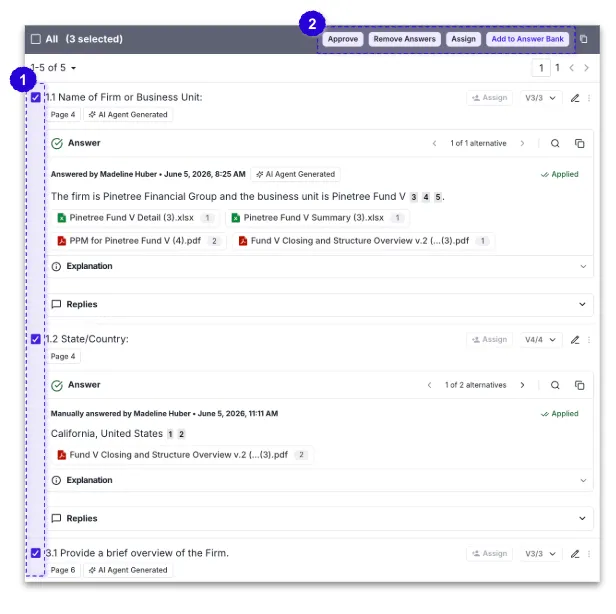
Note: The "All" checkbox in the upper-left corner of the review pane only selects the questions currently visible on the screen. You do not need to select this checkbox before running Answer All. When selected without manually checking questions, Answer All will generate answers for all unanswered questions in the questionnaire, not just the visible items.
Assigning Questions
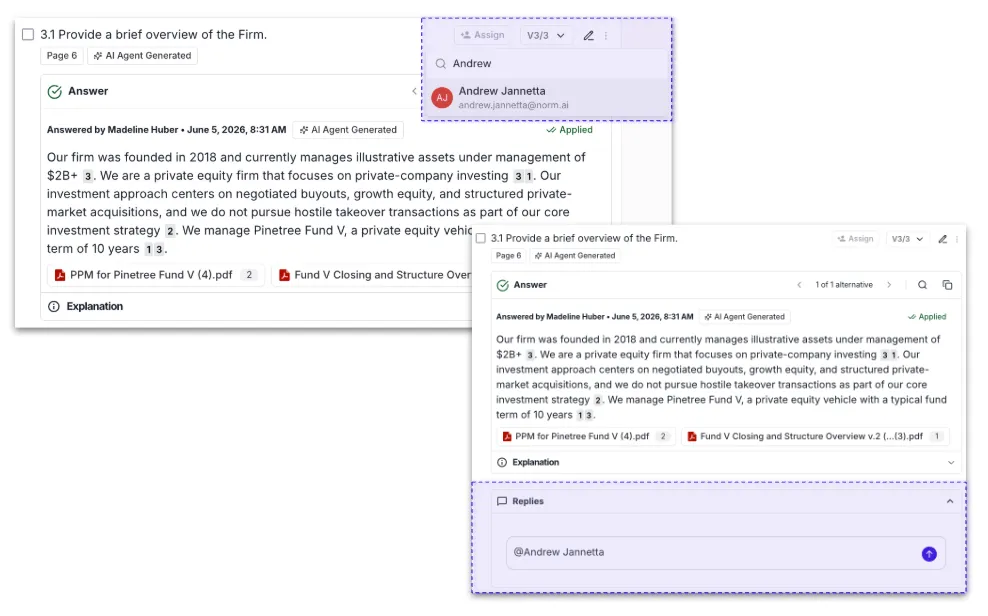
Click Assign on the question, or use the Reply feature to @mention a team member. Assignees receive a notification and can filter to Assigned to Me to focus on their questions. Norm Ai supports cross-functional workflows, allowing different teams to review and approve the sections relevant to them.
Pushing to the Answer Bank
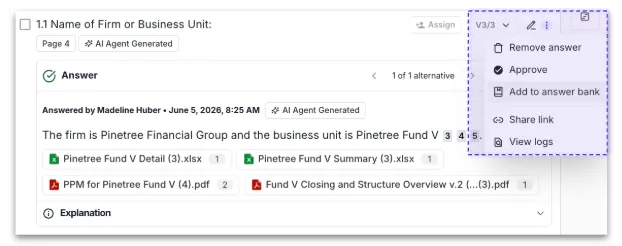
As you finalize answers, push them to the Answer Bank directly from the Review pane. You can always return to the Answer Bank later to update tags, edit content, or make other changes as needed. As a reminder, answers pushed to the Answer Bank will inherit the tags from the submission's intake form selections.
Saving Answer Updates to the Answer Bank
If an answer originated from the Answer Bank and you make changes to it during a submission, you can save those updates back to the original Answer Bank entry. Unlike Add to Answer Bank, which creates a new Q&A pair, Update Answer overwrites the existing Answer Bank answer with the revised version from your submission.
Note: Updating an Answer Bank answer replaces the existing answer content. Use this option when improving or correcting an answer that already exists in the Answer Bank.
Audit Trail
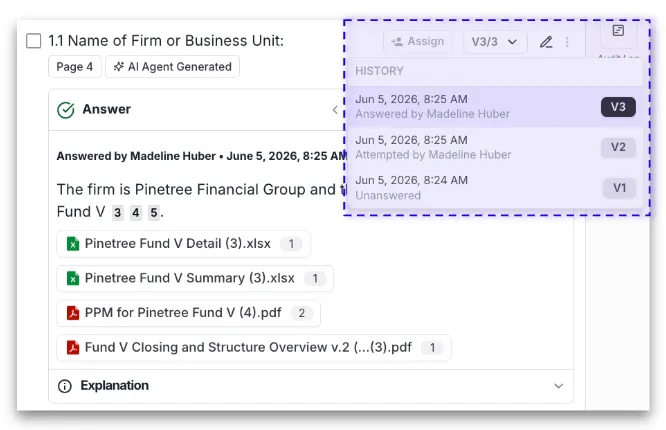
Norm Ai maintains a complete audit trail and version history for each question, including sources used, edits made, and approval history.