Navigation of the Submissions Dashboard
1 min
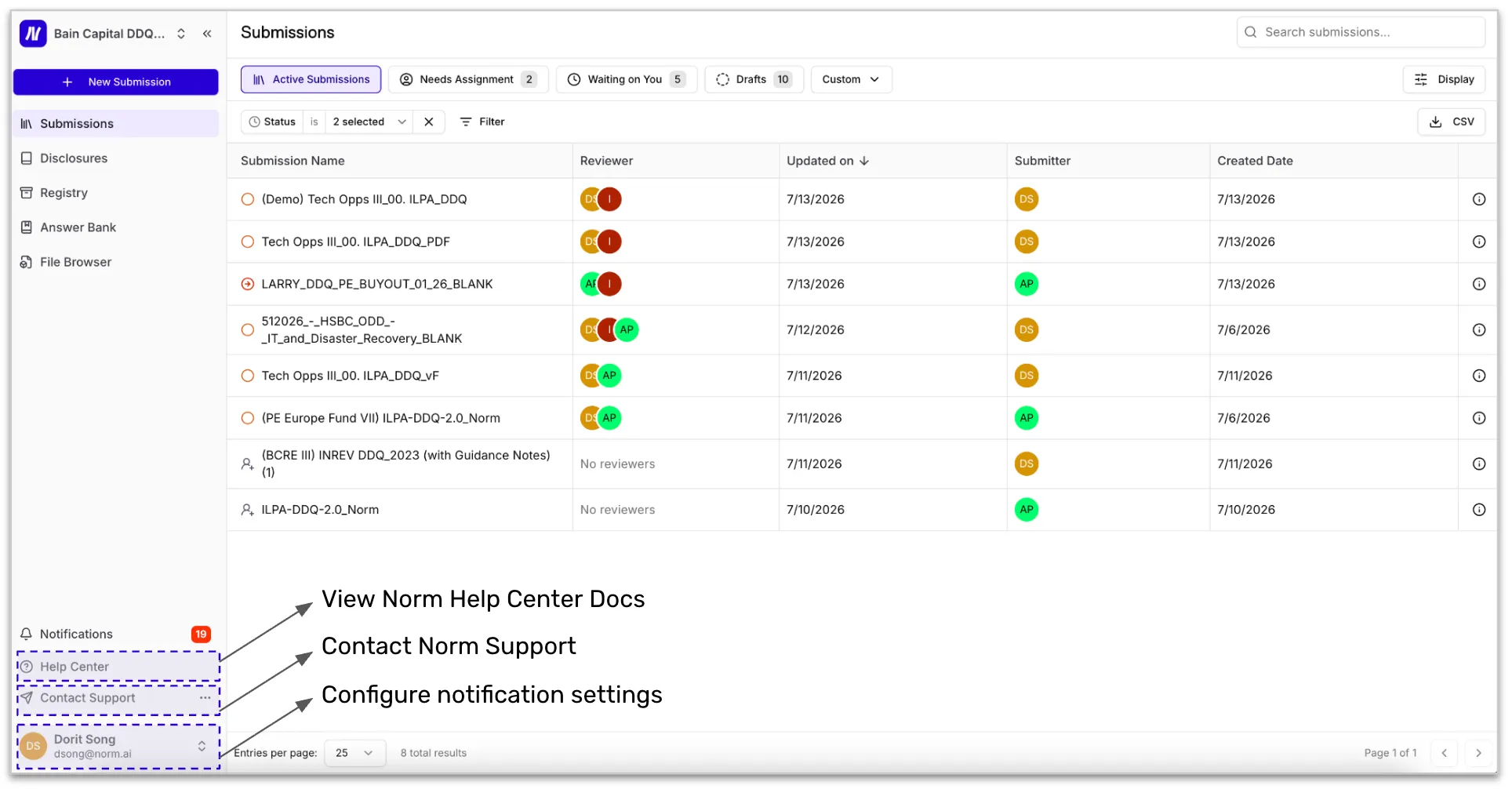
The Submissions Dashboard is your central workspace. The default tabs in the Submissions Dashboard are:
- All Submissions: All Submissions in your Norm Ai environment. You can filter by status, Reviewer, Submitter, business unit, region, who the submission is waiting on, etc. This is your default view when you log into Norm Ai.
- Needs Assignment: Submissions without a reviewer assigned for one or more Review Stages. You can assign reviewers in this view, or by clicking into each submission.
- Waiting on You: Your Norm Ai work queue, where you can view all Submissions that require your action. For example, if you are a reviewer and the submission is assigned to you for review, you'll see your assigned submissions here. Similarly, if you are the submitter and the submission requires your revision, this is also "waiting on you" for action.
- Drafts: Any incomplete submissions (Intake Form is partially completed).
At a glance, you can always see where every submission stands and who is responsible for the next action.
Saved Views
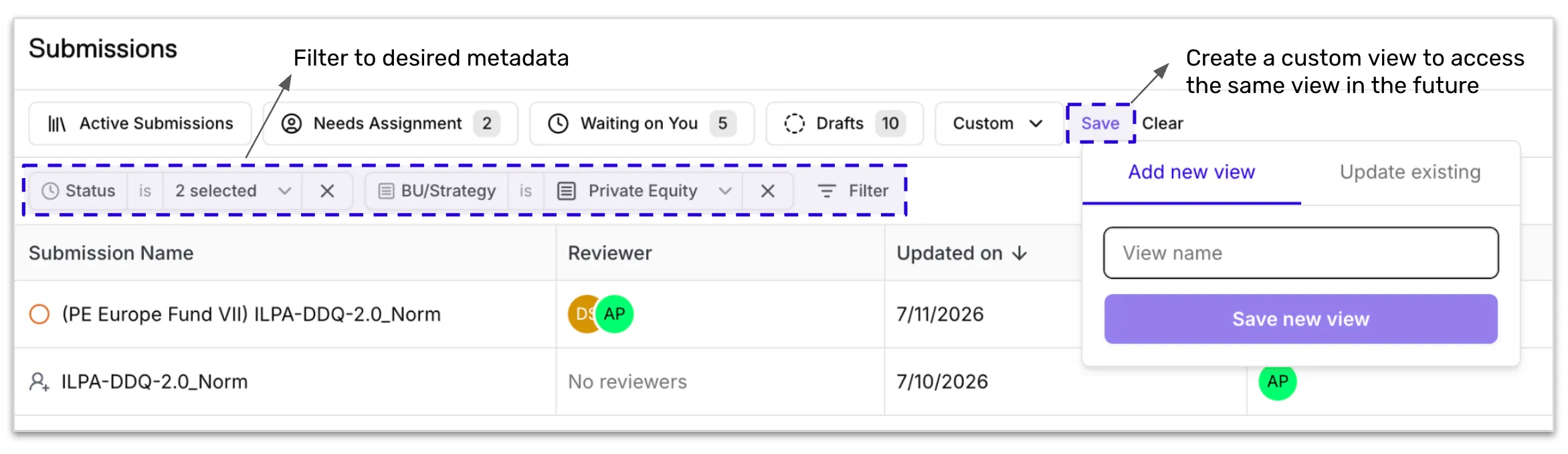
The Submissions Dashboard can be filtered by the metadata fields captured in the Intake Form. If you have a set of filters you return to frequently, you can save the view by clicking Save. Saved views appear as tabs at the top of the dashboard, alongside the default tabs like Active Submissions, Needs Assignment, Waiting on You, and Drafts, so you can navigate to your most-used filters in a single click.