Submitting a DDQ / RFP to Norm Ai
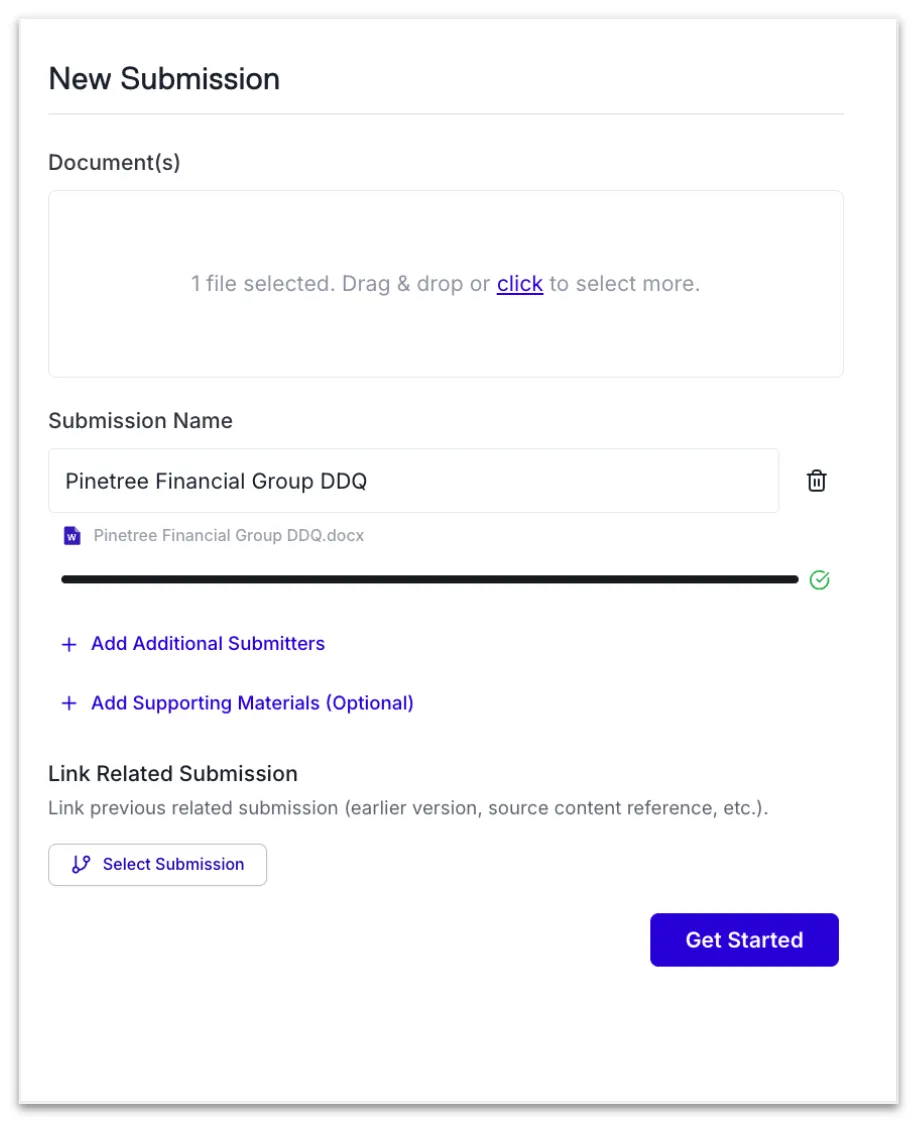
From the Submissions Dashboard, click + New Submission to get started.
1. Drag and drop your questionnaire file into the platform
2. When prompted, complete the Intake Form
Why it Matters
The Intake Form provides critical context for the agent. Business Unit, Strategy, Sub-Strategy and/or Fund are directly mapped to the tags of Answer Bank and Supporting Materials. Tagging works on inclusion, meaning that responses will be pulled in if their tags match your intake form selections. Firmwide answers will always be included as candidates for any submission.
The more intentional and specific your inputs and direction, the more accurately the platform can identify relevant source material and generate responses aligned with your objectives.
Note: Custom tags and notes do not inform answer generation.
Best Practices
- When completing the Intake Form, be intentional with your Business Unit / Strategy, Sub-Strategy, and Fund selections. These are the fields that directly filter your Answer Bank and Supporting Material candidates.
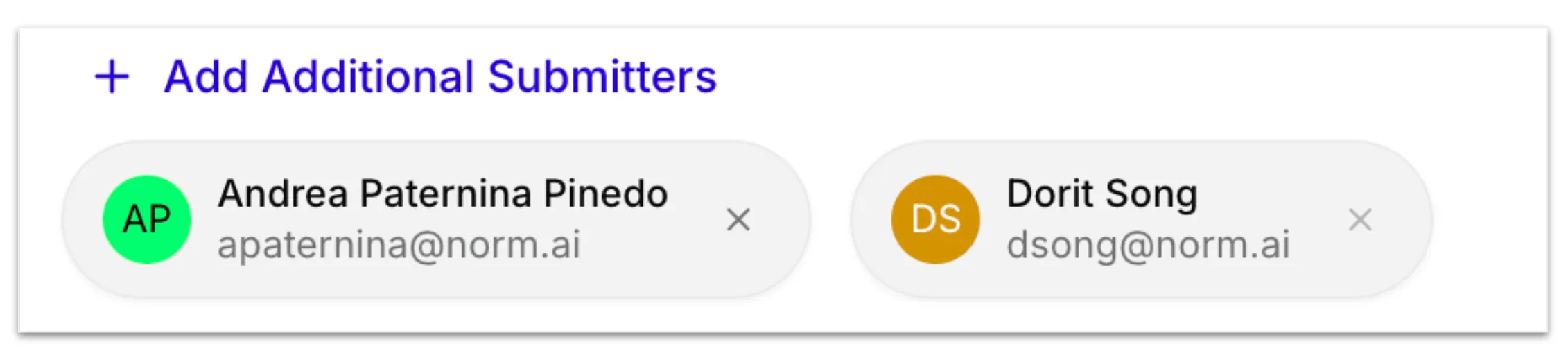
Add Additional Submitters (optional) - Bring in other team members who need to be involved at this stage. These additional users will be able to collaborate on the DDQ alongside the primary submitter.
Note: All members of your team have visibility into your teams' submissions on the platform. Adding a user as an additional submitter ensures they receive relevant notifications for that submission.
In addition to the supporting materials upload, the rest of the Bain Capital Intake Form contains a number of other important fields:
- Select all of the types of questions found in this DDQ/RFP: Select all applicable question levels that apply to the DDQ/RFP.
- BU/Strategy: Select the BU/Strategies applicable to your DDQ/RFP.
- Sub-Strategy: Select the sub-strategies applicable to your DDQ/RFP.
- Funds: Select the funds applicable to your DDQ/RFP.
- SMAs: (If applicable) Select the SMAs applicable to your DDQ/RFP. Note that these selections will not inform answer generation; only BU/Strategy, Sub-Strategy, and Fund-tags drive answer generation.
As a reminder, the Bain Capital Intake Form has been configured for the purposes of the phased rollout to various BUs and groups, but intake forms are customizable and support all types of DDQ workflows.
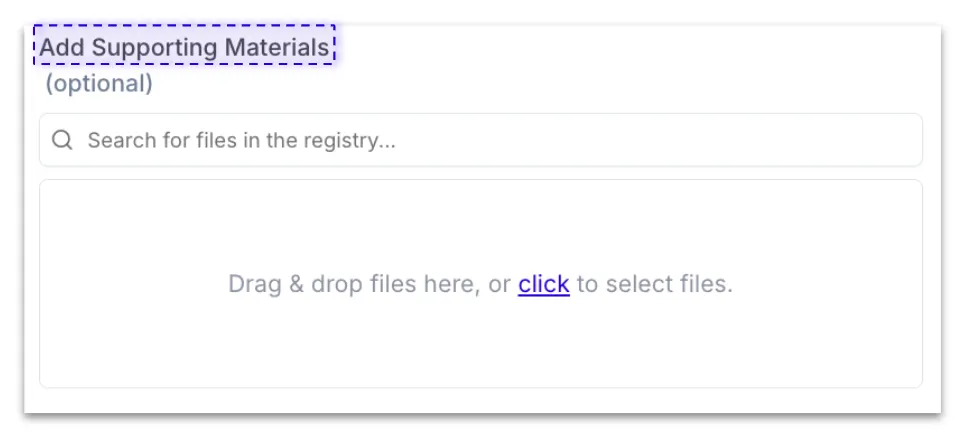
Add Supporting Materials (optional) - Attach materials which you may want to use in Answer Generation such as ILPAs, PPMs, headcount files, or previously completed DDQs. Materials can be uploaded directly or selected through search of the registry.
Note: You will be able to add additional supporting materials at any point in the process of questionnaire completion
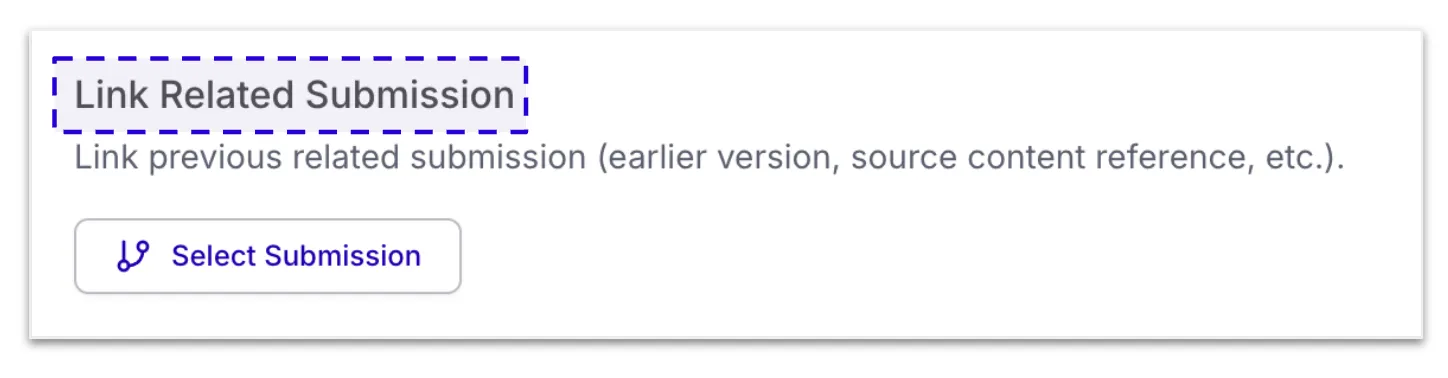
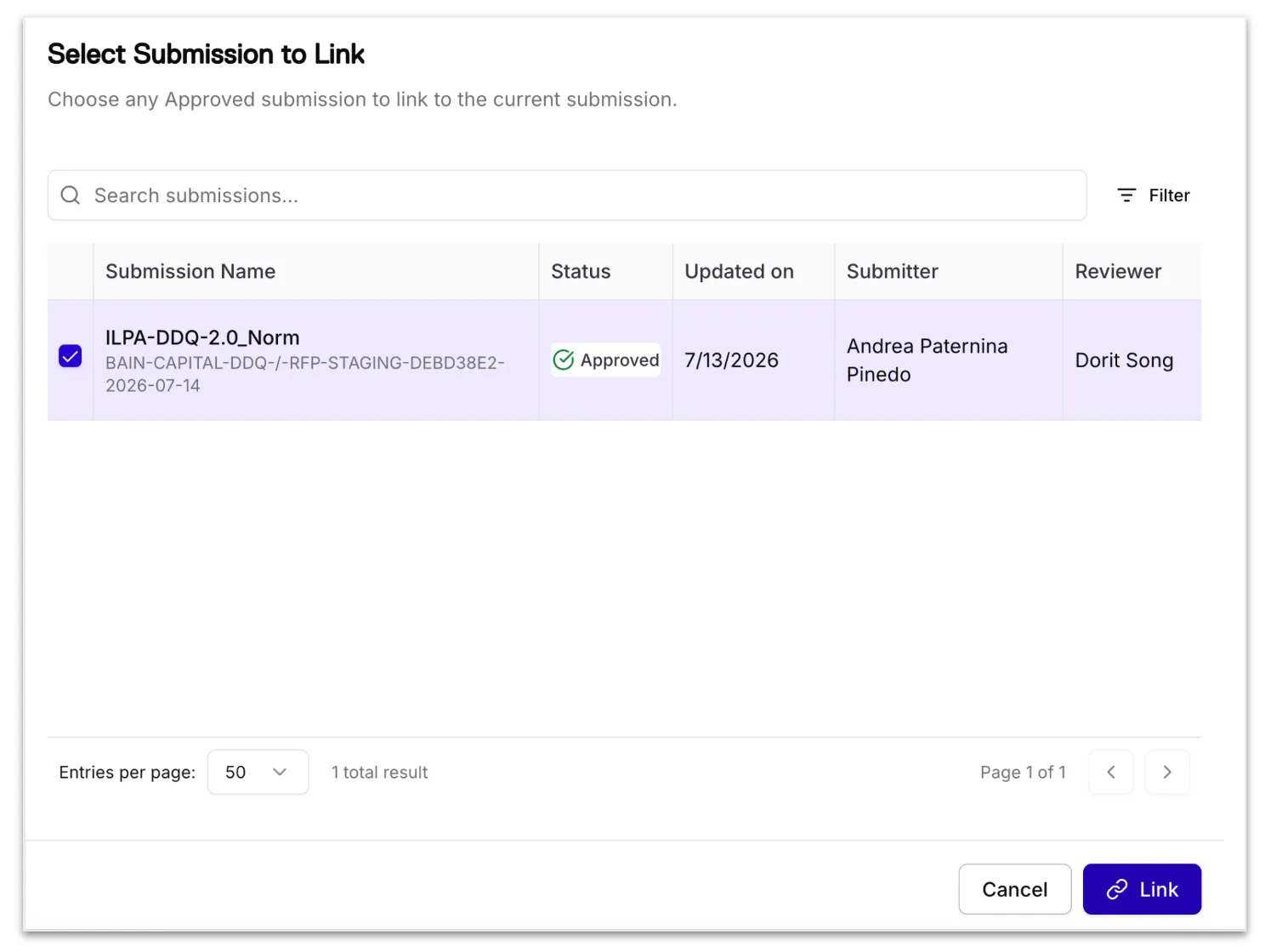
Link Related Submission - For recurring questionnaires (e.g. annual, quarterly, monthly) Norm can leverage previously used question and answer pairs to expedite completion through linked submissions. When questionnaires are linked, Norm Ai will pull in the intake form data and prioritize reusing final, approved answers from the prior submission where applicable. You can always edit the pre-filled intake form data before proceeding.
Tip: Complete a DDQ as a new submission the first time you work on it in Norm Ai. For future instances of the same recurring DDQ, create a linked submission to carry forward your previously approved answers.
File Size Limitations
To ensure reliable processing and high-quality results, Norm, like other AI-powered platforms, applies document size limits. These limits help keep submissions within the processing capacity of underlying AI models and are outlined below.
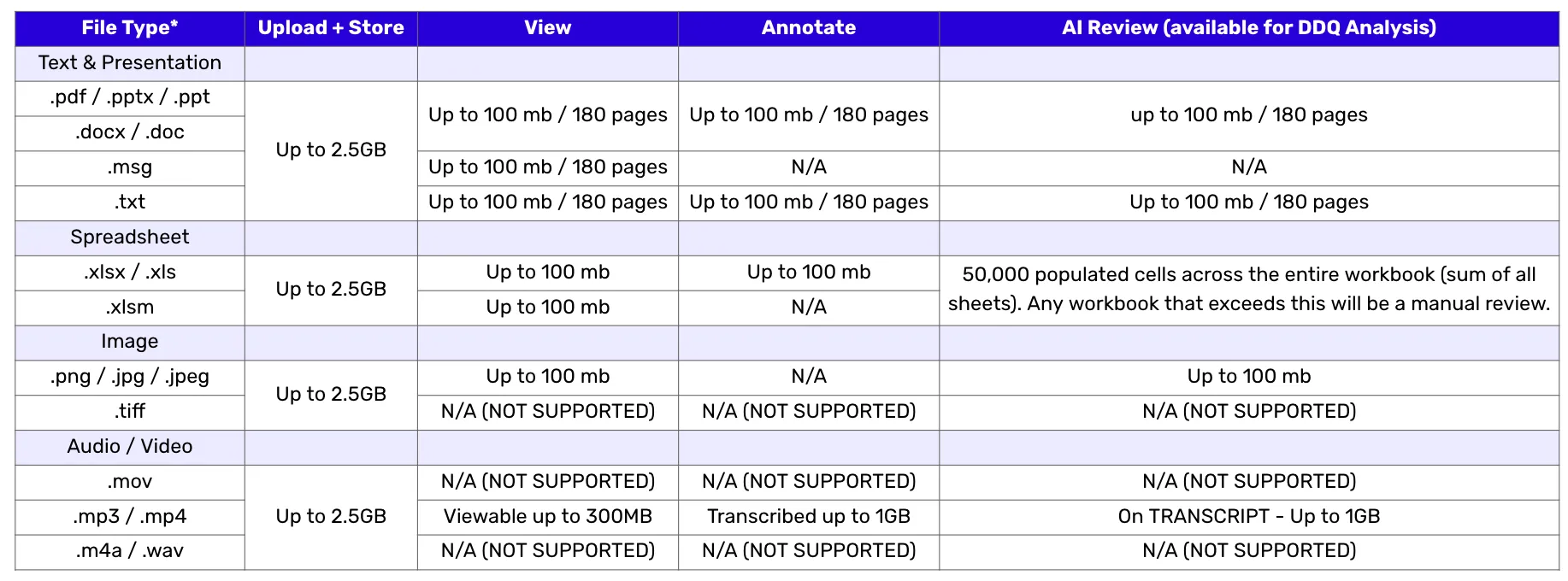
*Note: Password protected files may restrict processing ability