The Answer Bank
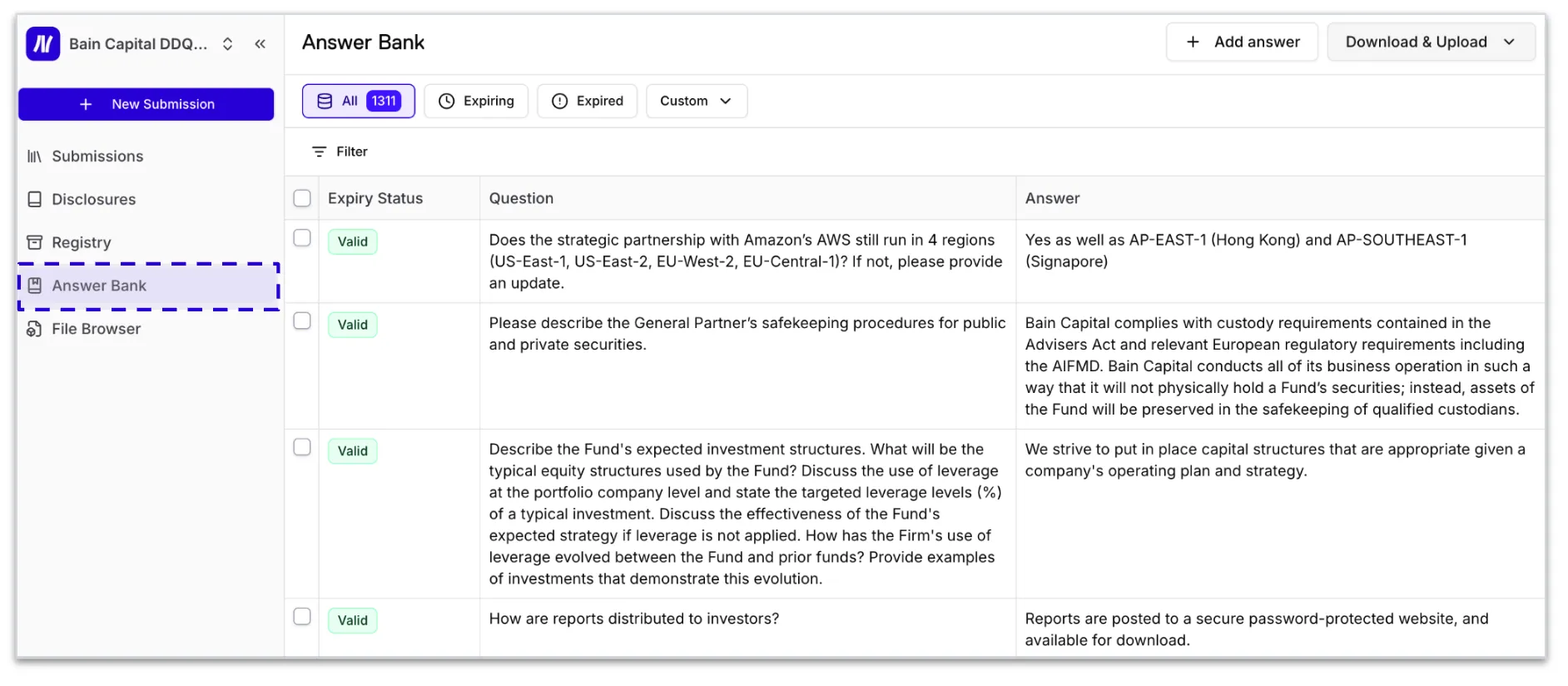
The Answer Bank is a repository of approved responses that the AI agents draw from when generating answers.
Filtering & Saved Views
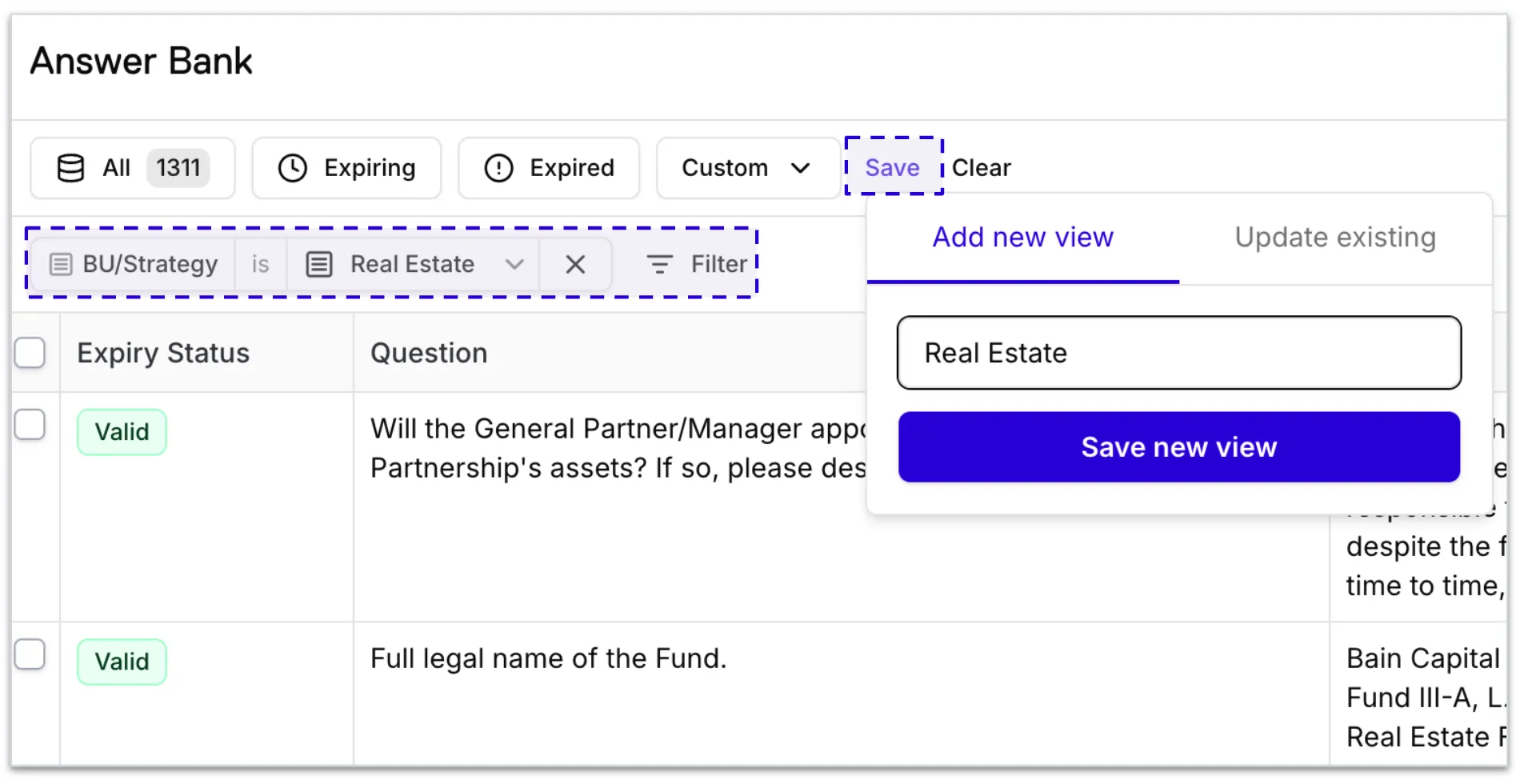
Use the Filter option to narrow down your Answer Bank by tag, expiry status, owner, notes, and more. Once you've applied your filters, you can save the view for quick access in the future.
Q&A pairs can be added to the Answer Bank in three ways:
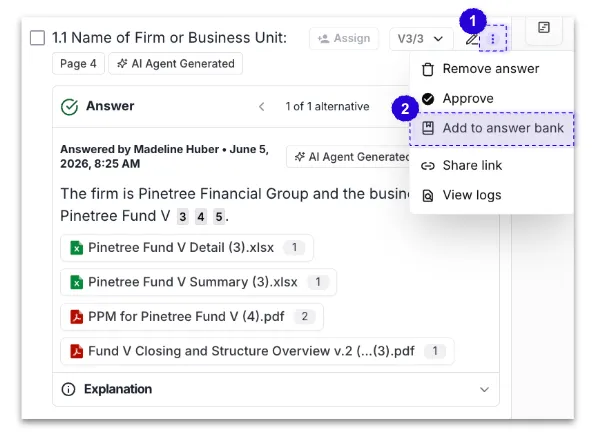
- From a submission - once you have reviewed and approved an answer in a submission, select Add to Answer Bank to save it for future use.
Reminder: Answers pushed to the Answer Bank will inherit the tags from the submission's intake form selections.
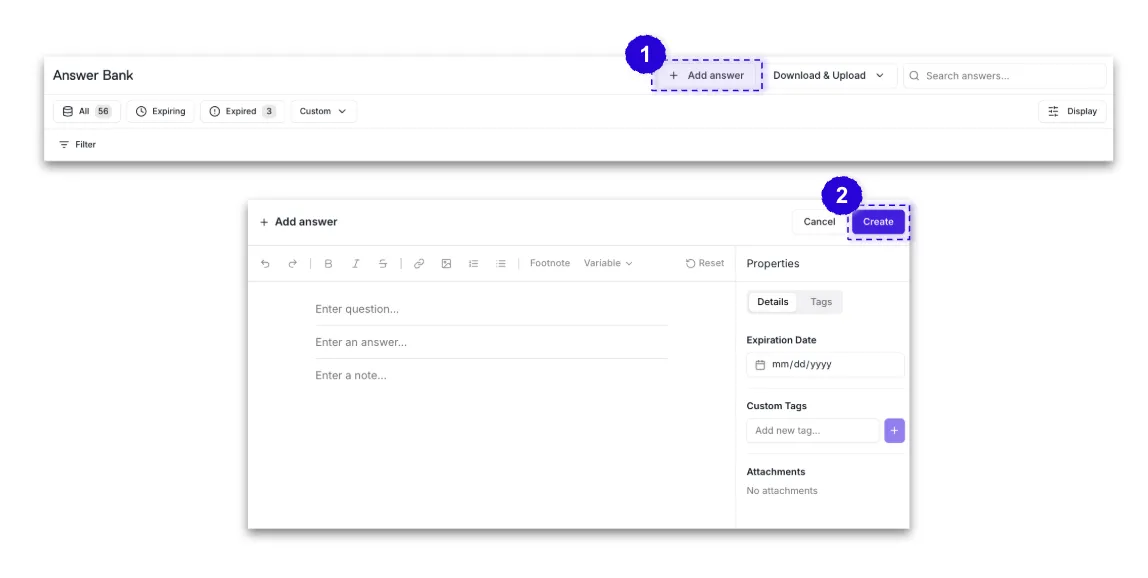
- Adding a Q&A Pair - To add an entry directly to the Answer Bank, select + Add Answer from the top of the Answer Bank page. From there, you can manually enter a Q&A pair, add tags, notes, and any additional context before saving.
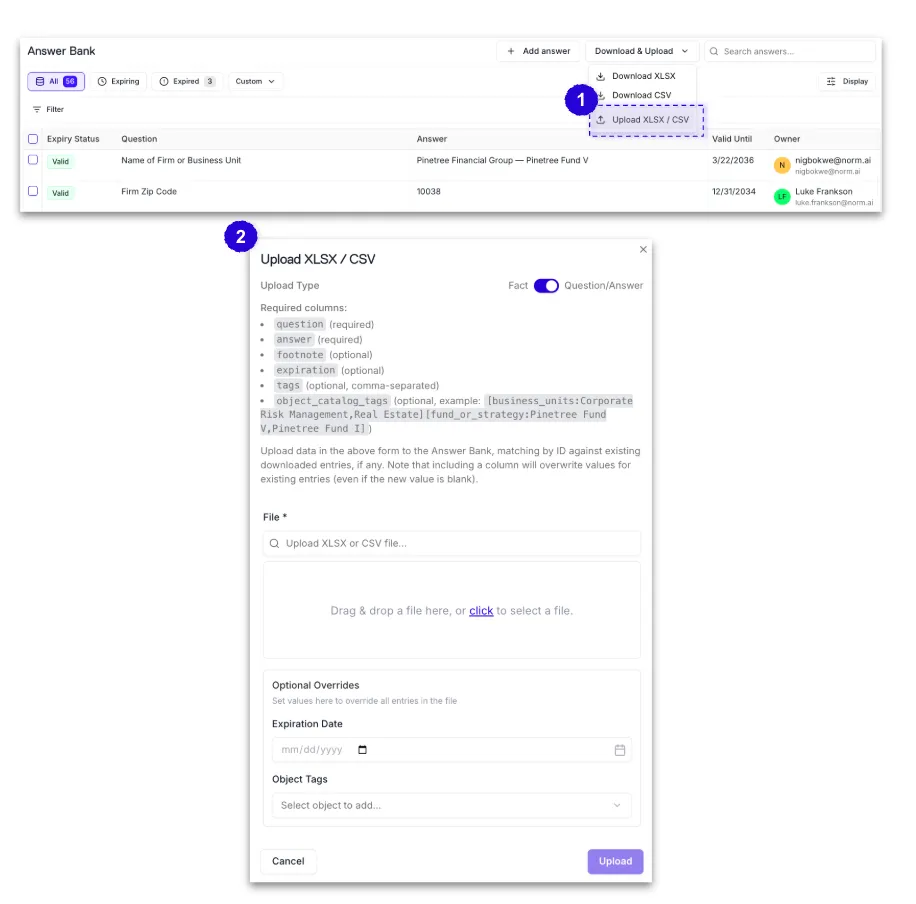
- Bulk upload - Q&A pairs can be uploaded in bulk via Excel. This is useful for migrating existing Q&A libraries into the platform.
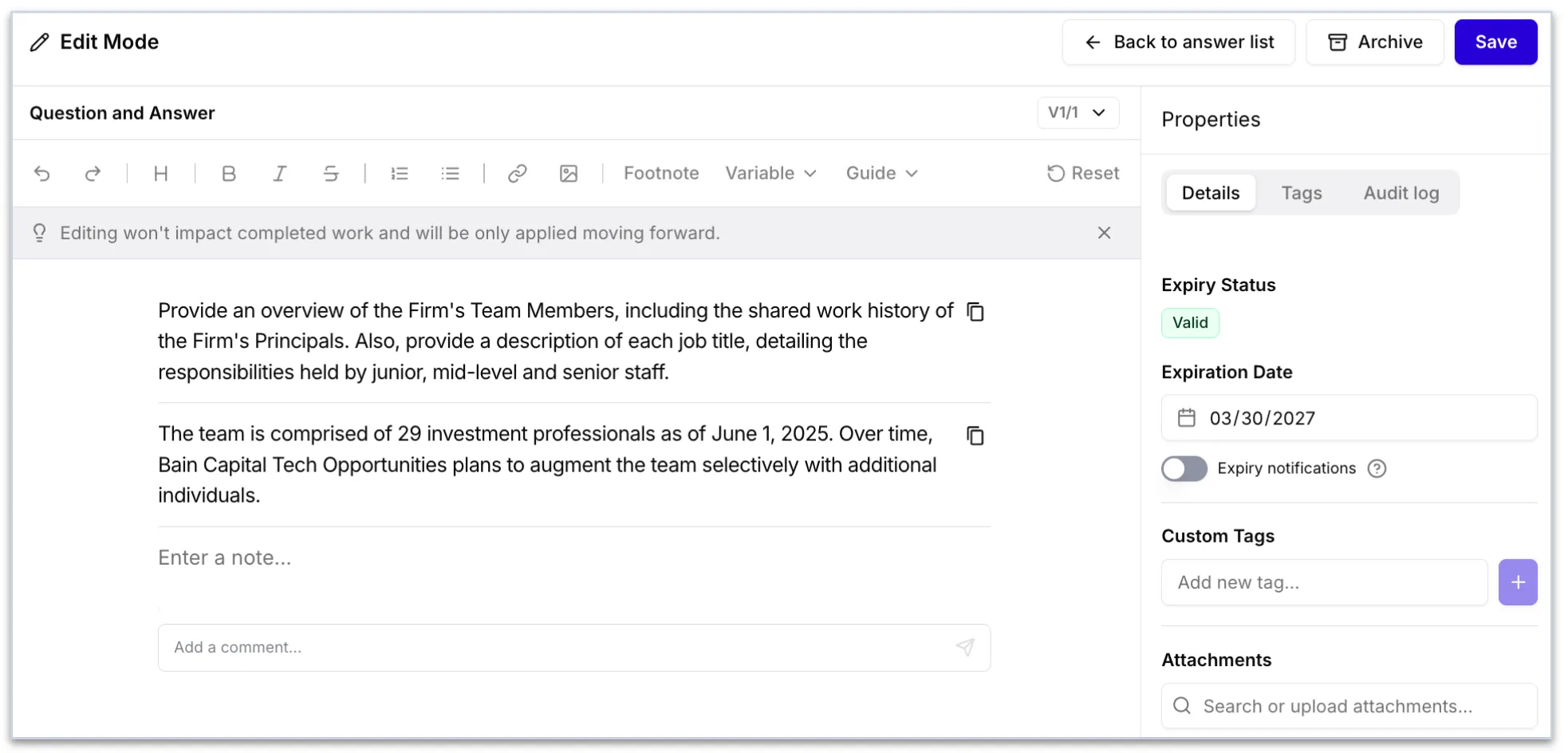
Each Q&A pair in the Answer Bank contains:
- Question & Answer - the core Q&A pair
- Tags - Business Unit, Strategy, and Fund tags that determine which submissions the entry is eligible for
- Notes - visible and filterable within the Answer Bank, but do not inform answer generation
- Last Date Approved - indicates when the answer was last reviewed or approved
- Expiration Date - indicates when the answer's validity runs out
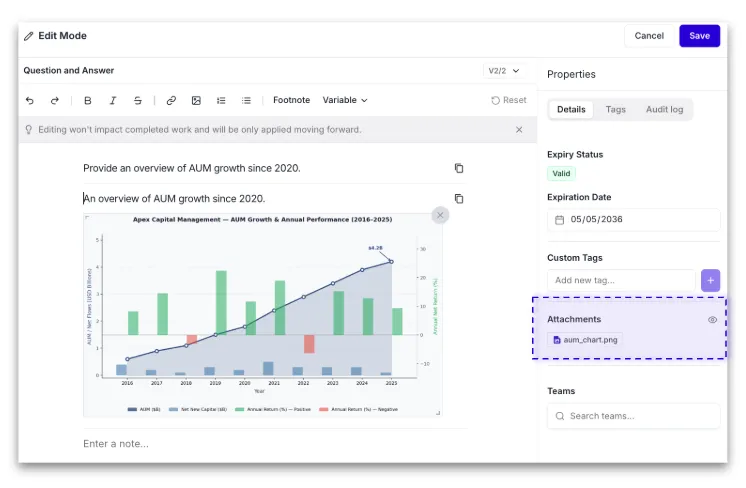
- Attachments - files can be attached directly to a Q&A pair
- Images - charts, diagrams, and images can be inserted into entries and will render inline in submissions when a verbatim answer is selected
- Guides - in-line instruction tags directly into any answer to help guide users on how to use a response.
Note: Custom tags and notes do not inform answer generation. They are for reference and filtering within the library only.
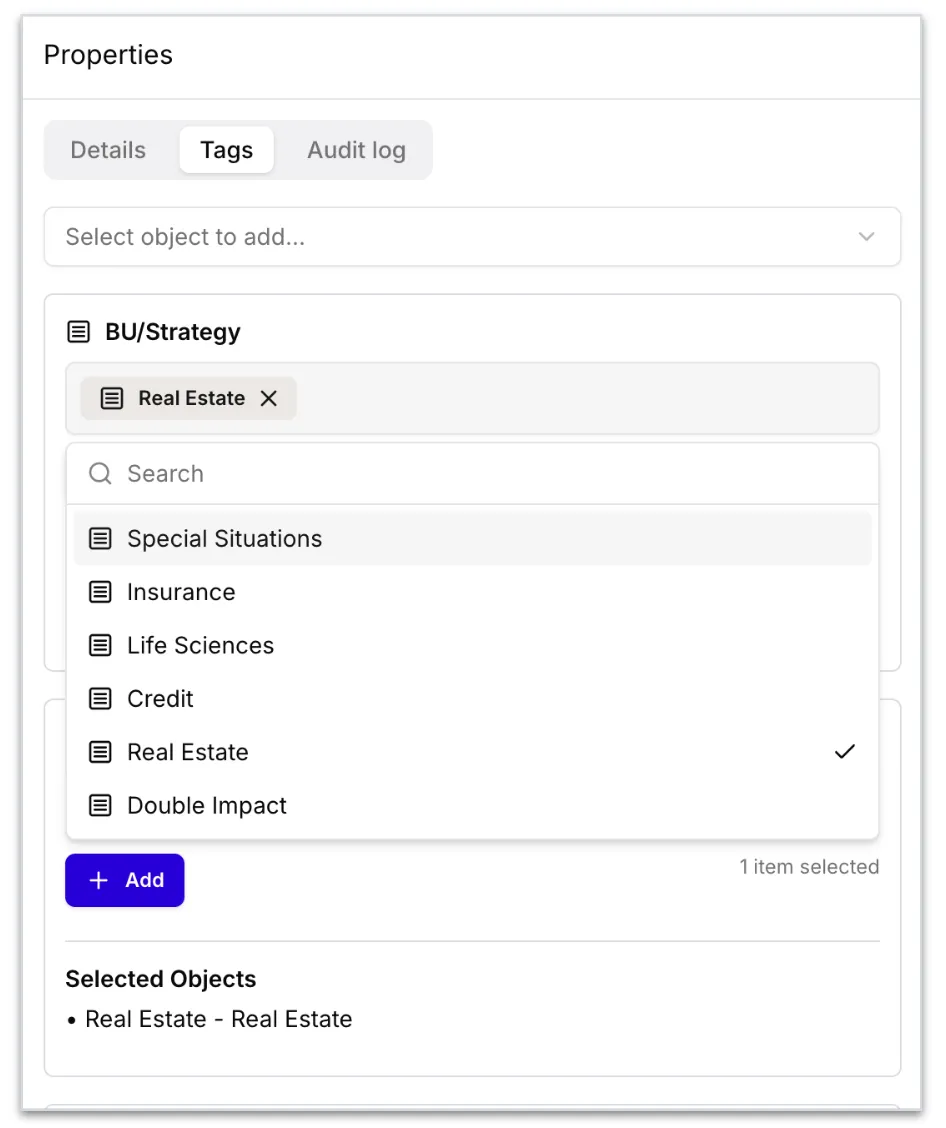
Tagging Business Unit, Strategy, and Fund tags on Answer Bank entries map directly to your intake form selections. Tagging works on inclusion, an entry will be considered for a submission if its tags match the intake form. Firmwide entries are always included as candidates for any submission. If an entry applies broadly across all funds, it does not need a fund-level tag. Note: The Tags tab within an Answer Bank entry's Properties panel allows users to apply additional tags beyond the standard fields associated with the intake form.
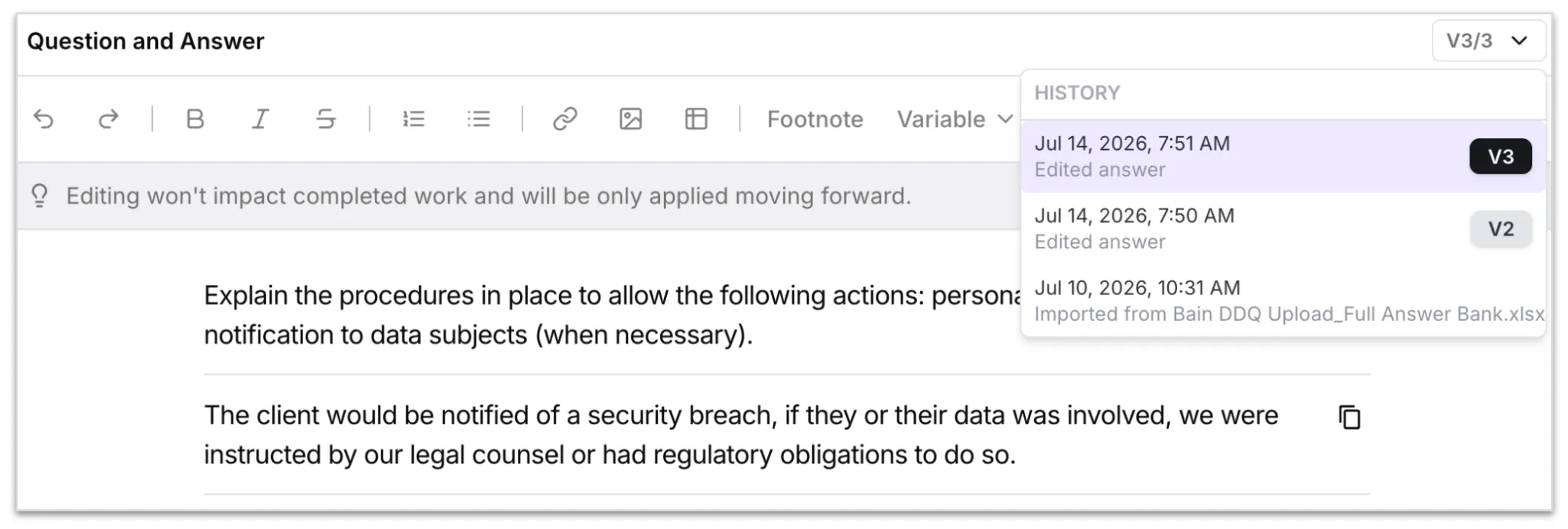
Audit Log & Version History Every change to an Answer Bank entry is tracked as a versioned snapshot. You can browse the full version history of any entry, compare versions via redline, and restore a prior version if needed. The audit log shows who changed what and when, covering manual edits, bulk uploads, and pushes from submissions. Note: Editing an answer inside a DDQ submission does not automatically update the Answer Bank. Changes are only versioned in the Answer Bank when you explicitly push an answer from a submission or edit directly and press Save.
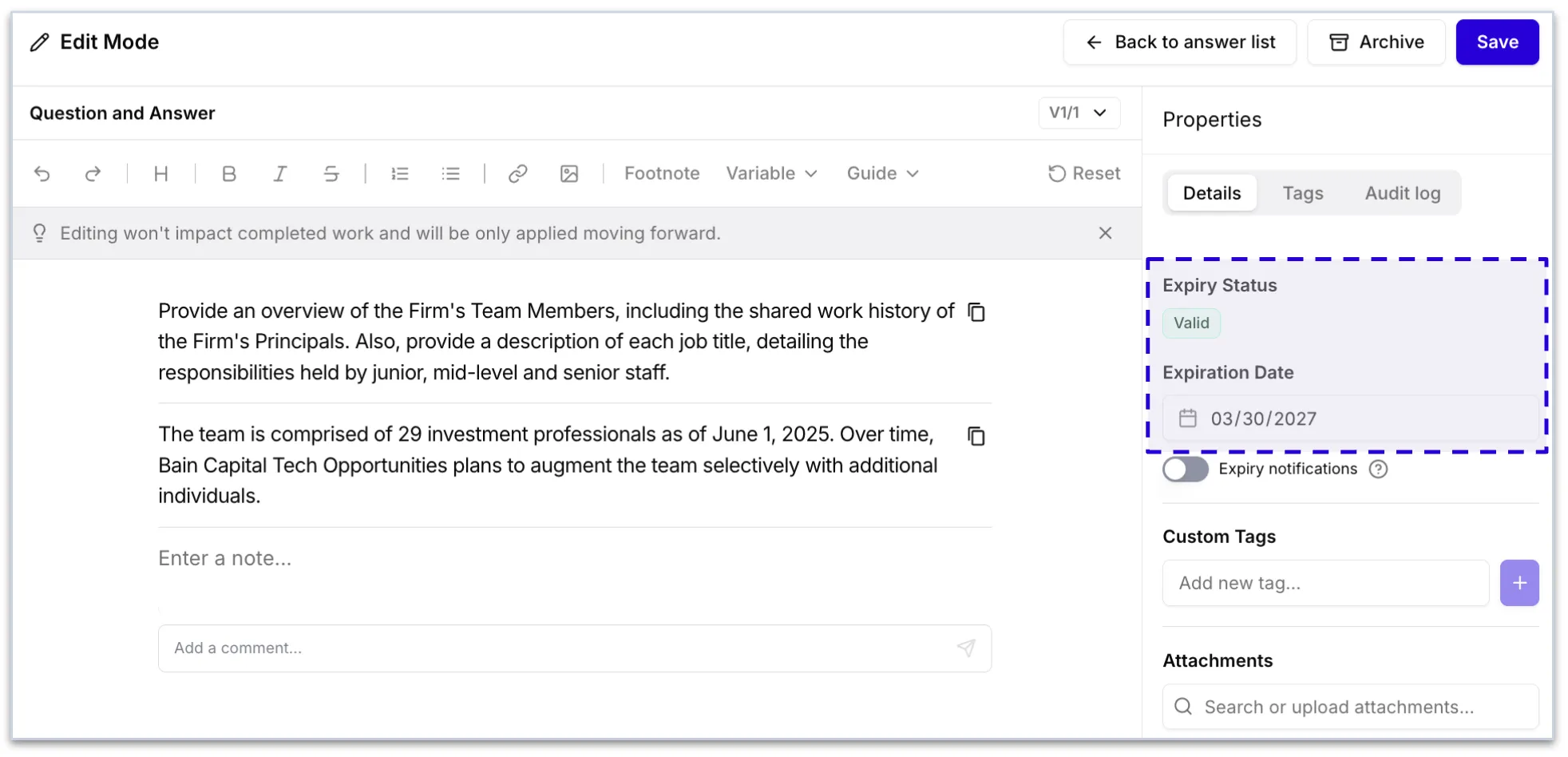
Expiration Date
The Expiration Date indicates when the answer's validity runs out. Expired entries remain visible in the library. Each team can manage their own strategy for refreshing answer bank responses (i.e., quarterly, annually, monthly).
Note: Expired answers will not be pulled into answer generation.
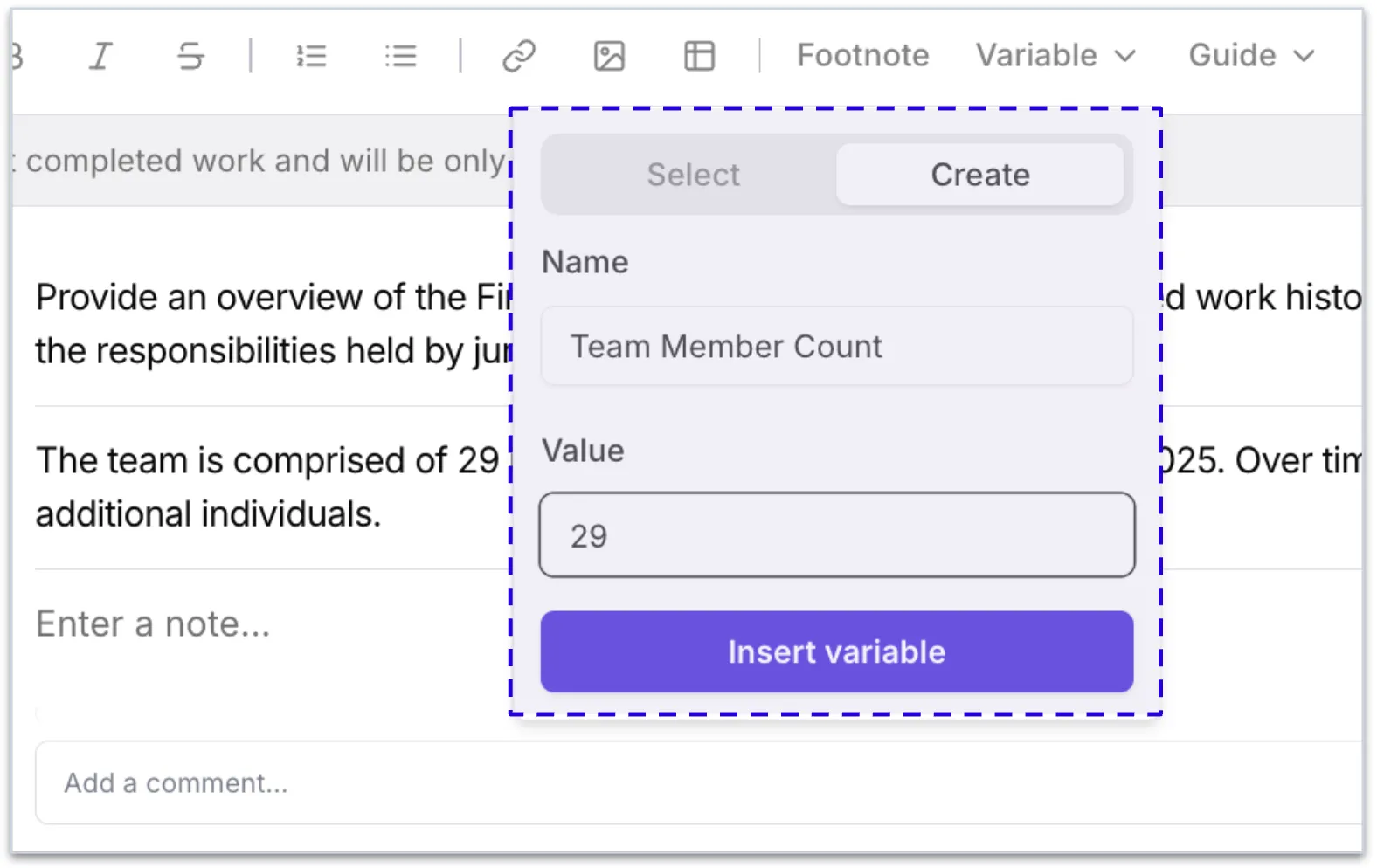
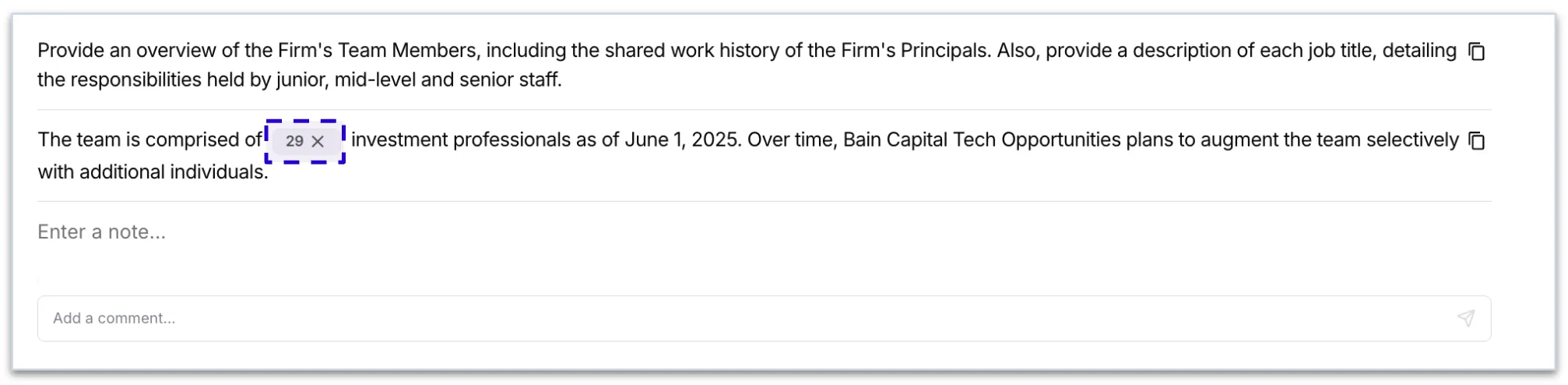
Dynamic Variables in Q&A Pairs
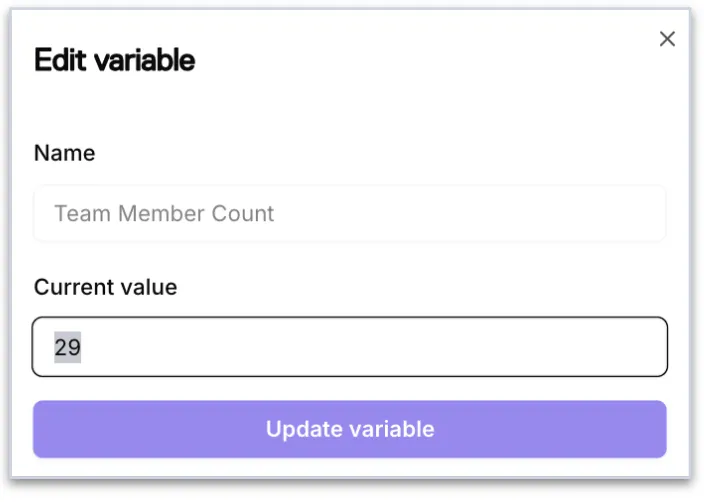
Teams can create reusable variable tags and insert them directly into Answer Bank answers and notes. Update a variable value once and selectively propagate it forward to all linked answers, useful for recurring data points like AUM figures or fund names that change quarterly.
- Variables are team-scoped - users only see and insert variables their team has access to
- Updates never cross team access boundaries
Footnotes
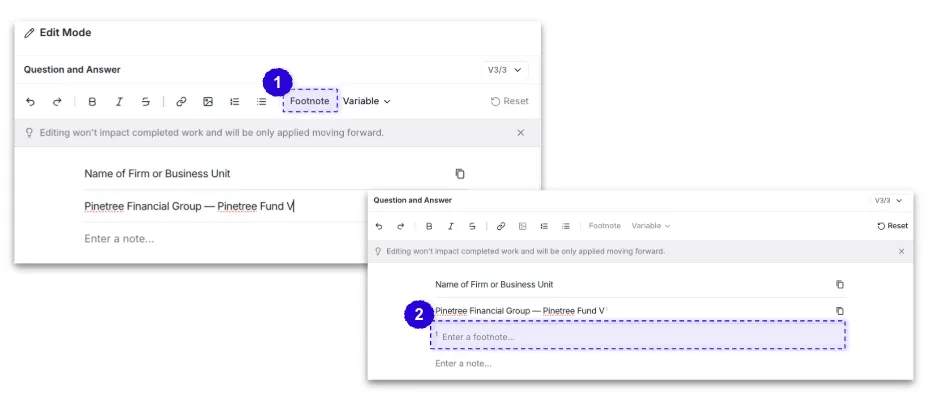
Footnotes can be added directly to Answer Bank entries as part of the Q&A pair and will carry through to the exported DDQ.
Notes
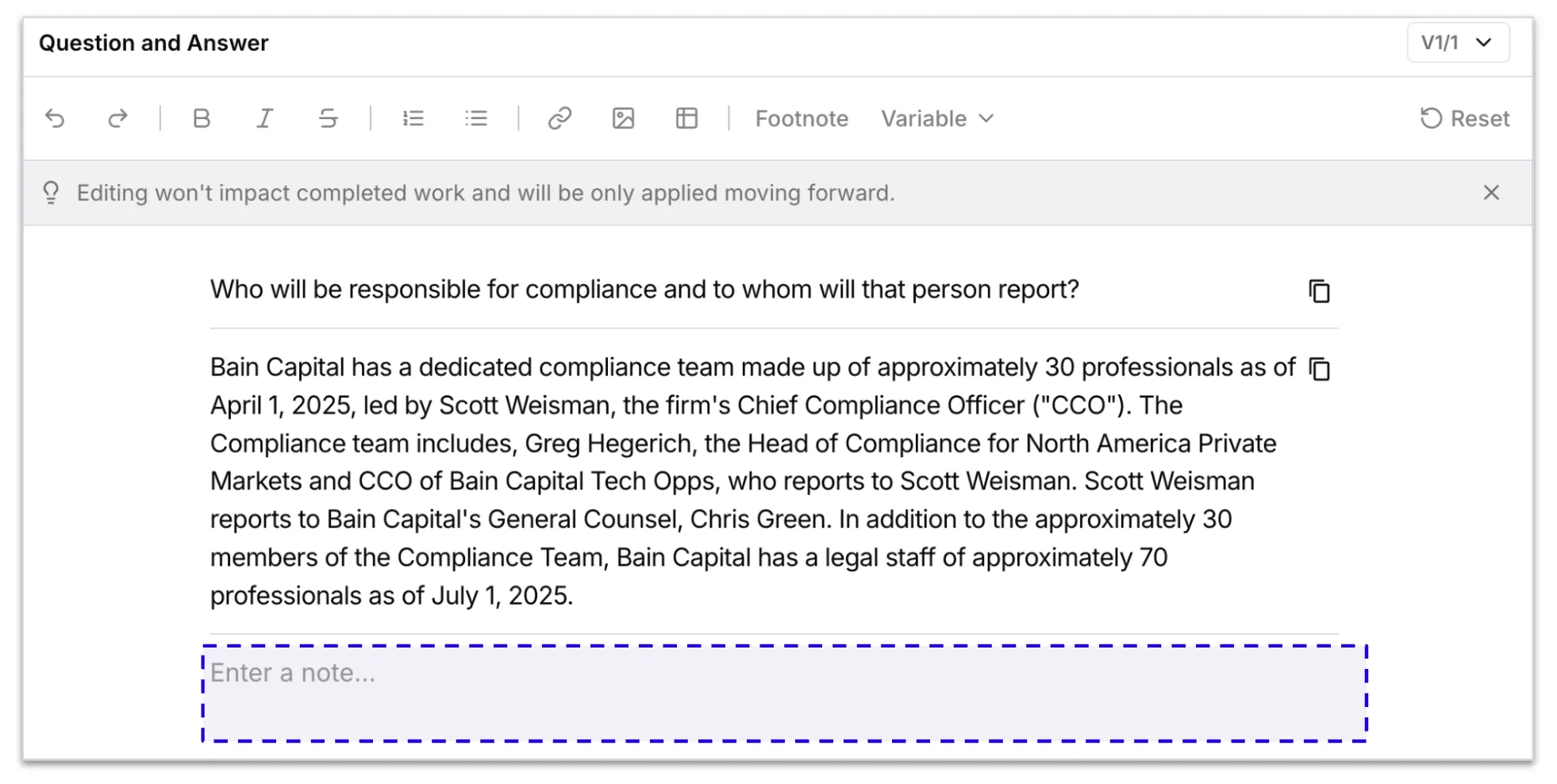
Each Answer Bank entry has a Notes field for adding context such as suitability guidance, reviewer annotations, or date references. Notes are visible within the Answer Bank and will surface in the source popup when an answer is pulled into a submission. Notes do not inform answer generation, they are for user reference.
Images in Q&A Pairs
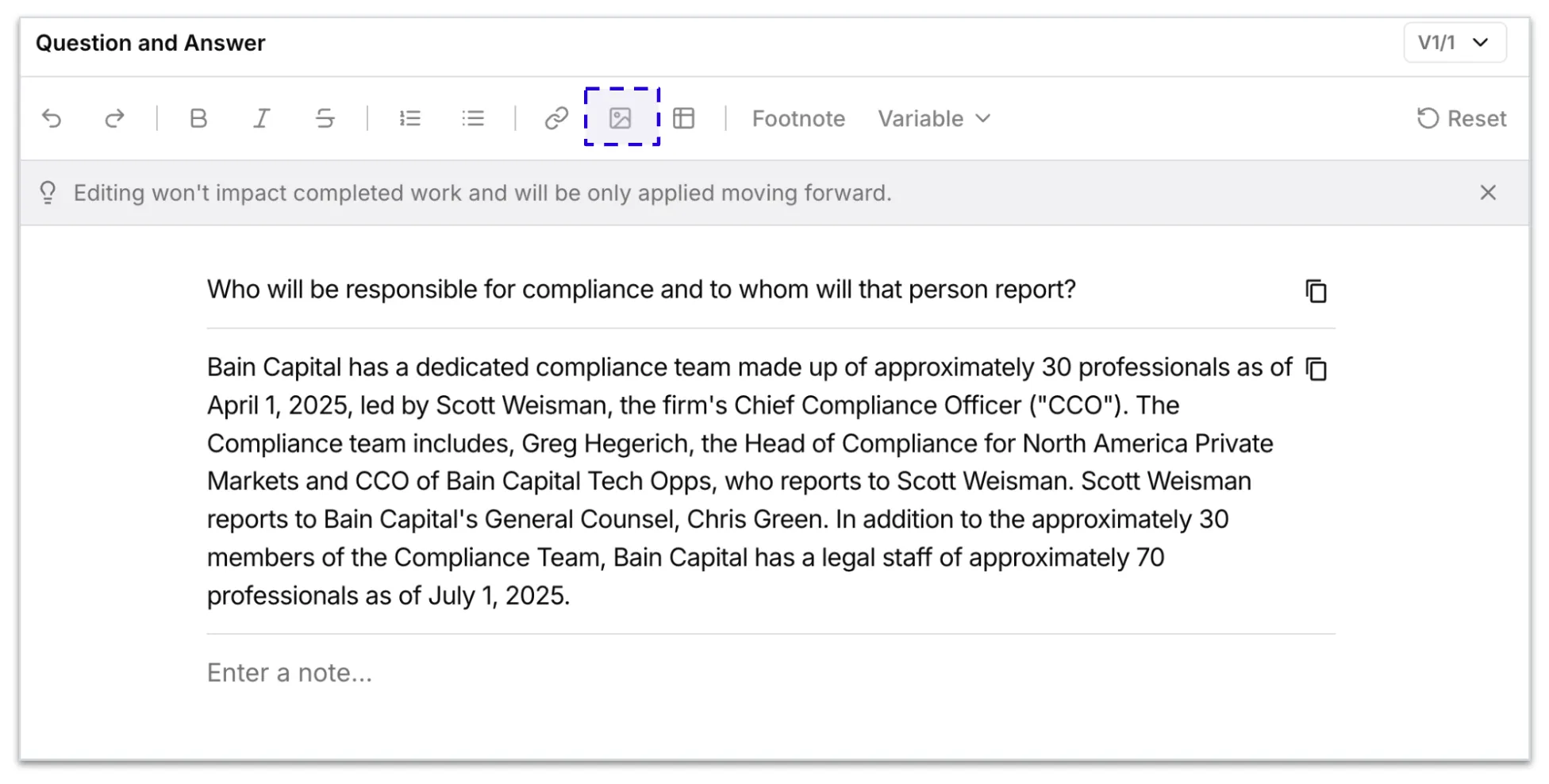
Images can be attached directly to an Answer Bank entry. Images such as charts, org diagrams, and fund exhibits will render inline in a submission when a verbatim answer is selected.
Attachments in Q&A Pairs
Files can be inserted directly into Answer Bank entries as part of a Q&A response. When an answer references an attachment, the file will be included alongside the response in the submission.