The Submission Dashboard
Submissions represent each piece of content that is being reviewed in Norm Ai. The Submissions Dashboard is the centralized spot where submissions are organized. This is also the Norm Ai ‘home’ page, or where you will land by default when you log into the platform.
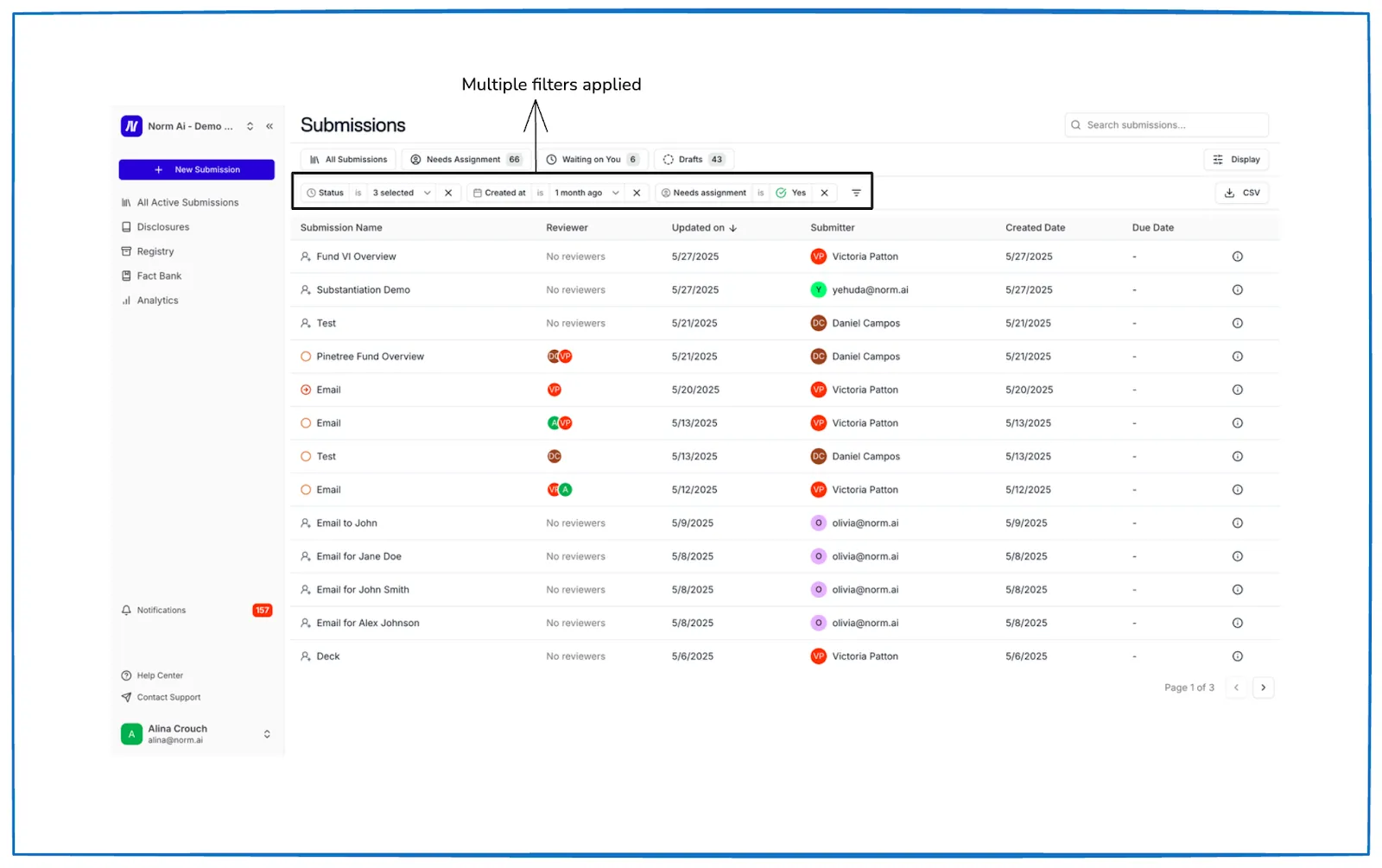
The Submissions Dashboard allows you to view all relevant submissions, and gives you an overview of where these submissions stand.
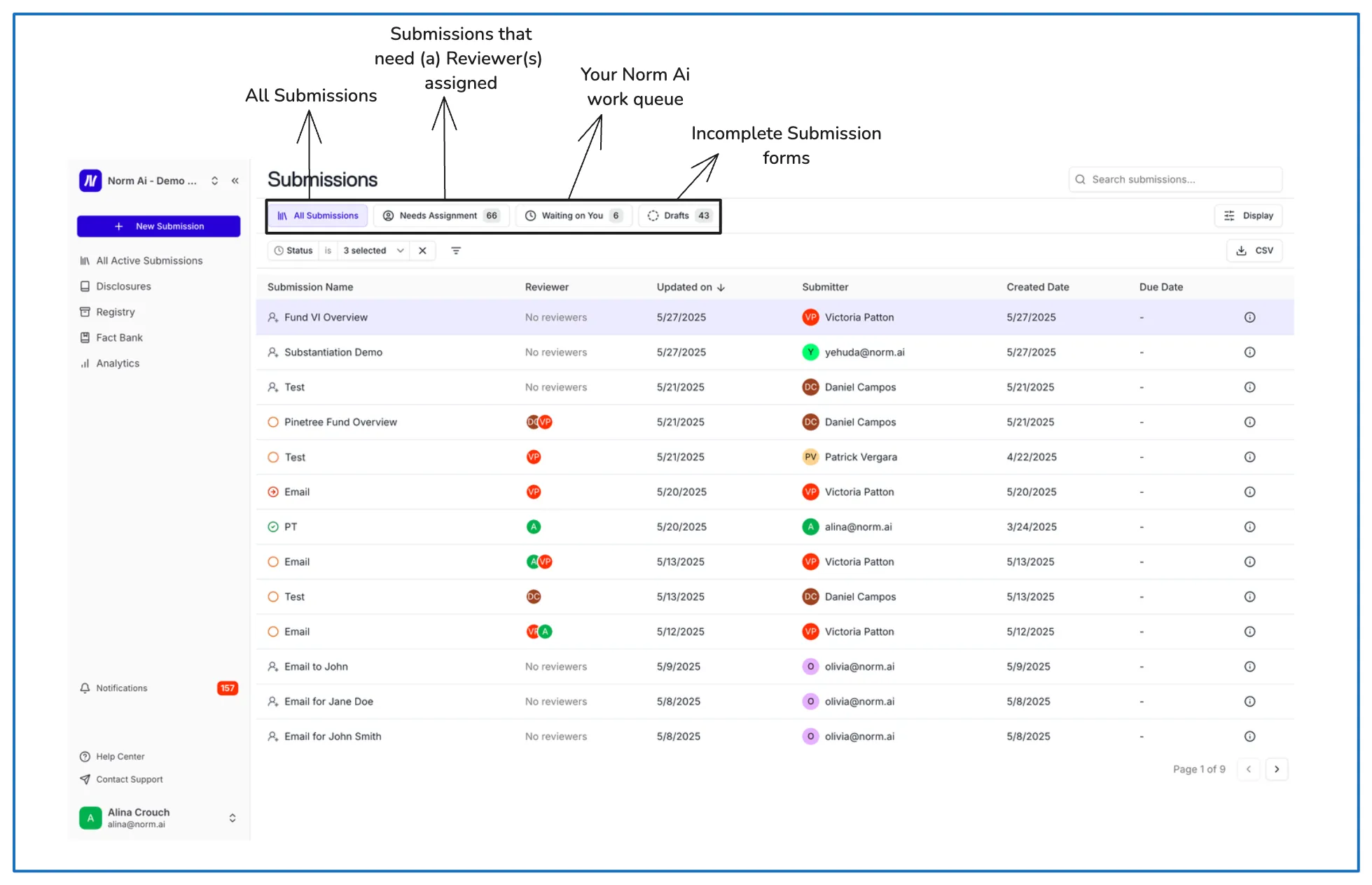
The tabs in the Submissions Dashboard are:
- All Submissions: All Submissions in your Norm Ai environment. You can filter by status, Reviewer, Submitter, business unit, region, who the submission is waiting on, etc. This is your default view when you log into Norm Ai.
- Needs Assignment: Submissions without a reviewer assigned for one or more Review Stages. You can assign reviewers in this view, or by clicking into each submission.
- Waiting on You: Your Norm Ai work queue, where you can view all Submissions that require your action.
- Drafts: Incomplete Submission Forms.
You are able to configure your dashboard view by clicking into “Display” and adding or removing columns.
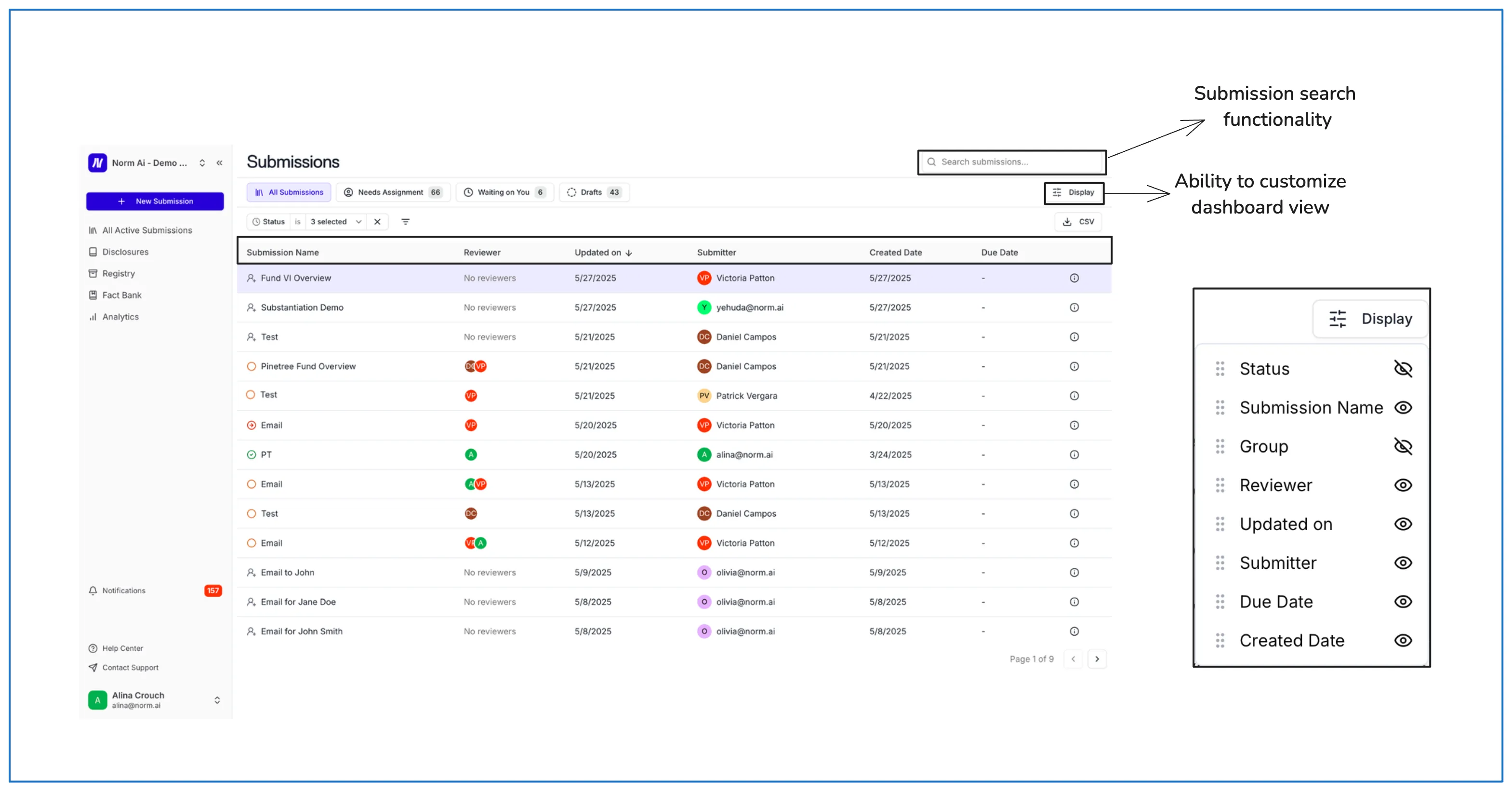
- Status: Approved, Draft, In Review, Revisions Requested, Unassigned.
- Submission Name: Name of the submission
- Reviewer: Name of the Reviewer.
- Updated on: When the Submission was last updated.
- Submitter: Name of the Submitter.
- Created Date: When the Submission was created.
- Due Date: When the Submission should be finalized by.
The Submissions Dashboard enables you to configure your dashboard for multiple filters. When viewing All Submissions viewers can interact with Submissions by choosing which status(es) to interact with:
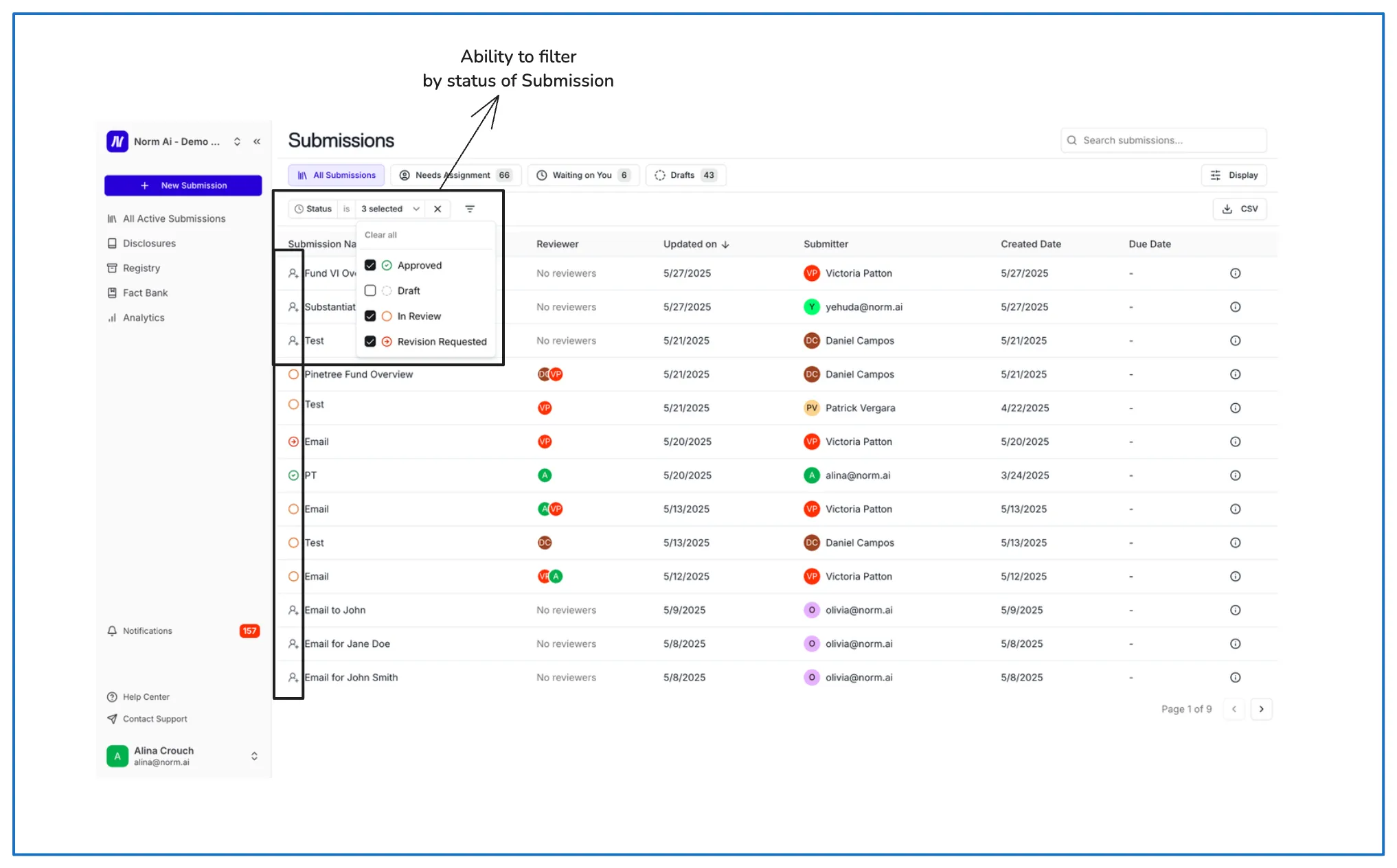
- Submissions Statuses:
- Approved: Approved Submissions.
- Draft: Incomplete Submissions requiring Submission Form completion.
- In Review: Submissions that are currently being reviewed..
- Revisions Requested: Submissions that the Reviewer has sent back to the Submitter for revisions.
In addition to the status filter, clicking into the below icon offers a variety of other filters.
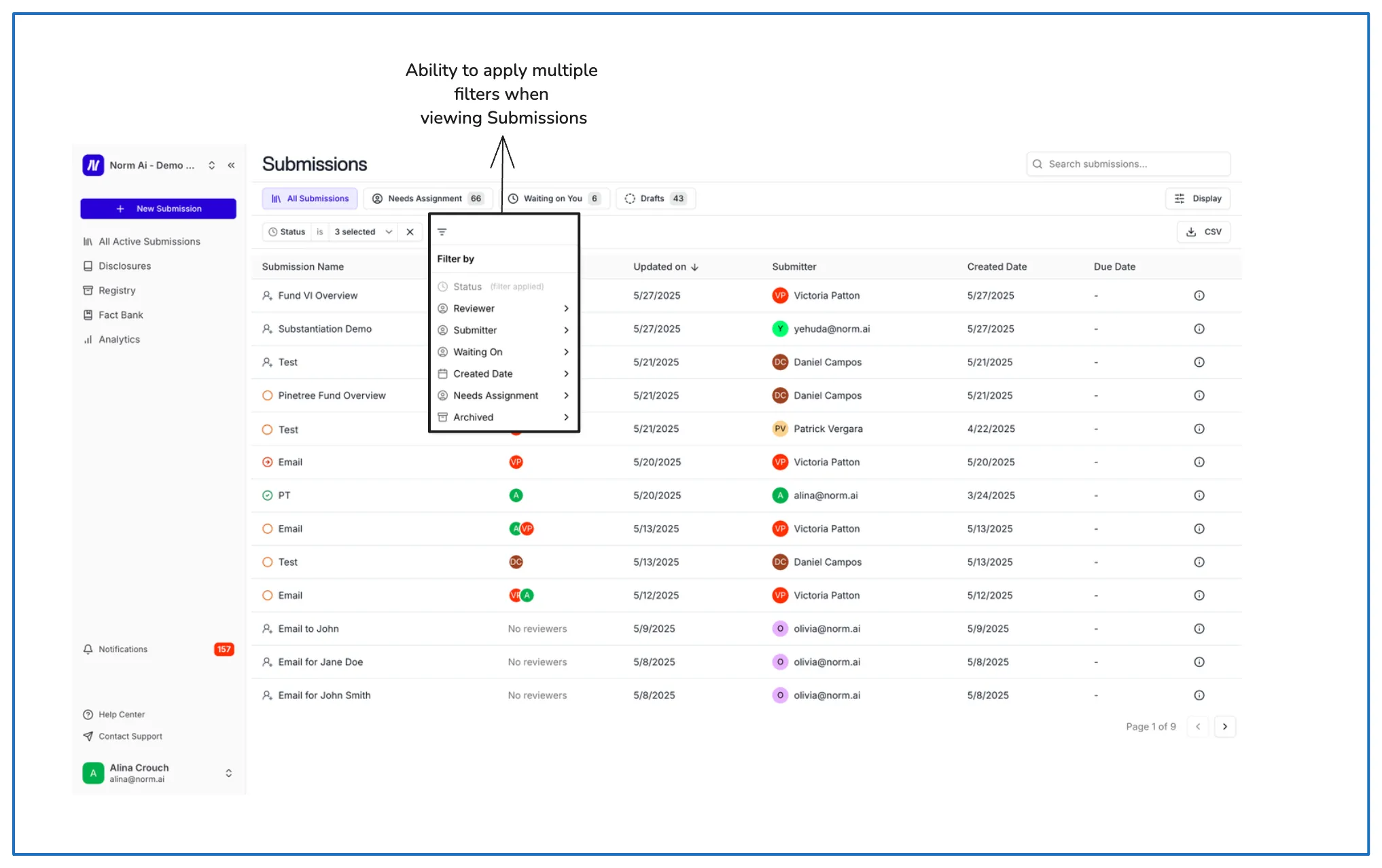
- Filter by:
- Reviewer: Name of the Reviewer.
- Submitter: Name of the Submitter.
- Waiting on: Who the Submission is currently waiting on (if applicable / if the Submission is not yet Approved).
- Created Date: When the Submission was created by the Submitter.
- Needs Assignment: A status when the Submission requires a Reviewer.
- Archived: A status when a Submission has been archived.